
Knowledge Base
Articles In This Section
How Workato Actually Works: A Simple BreakdownWorkato Workflow Apps: A Complete OverviewGetting Started with Data Orchestration in WorkatoUnderstanding Webhooks in WorkatoWorkato FAQs: The Ultimate List of Common Workato FAQsHow to Sync your SurveyMonkey Data within Quickbase using WorkatoWhat is WorkatoUnderstanding Workato Custom Connectors How to use Workato's Logging SystemHow to use GitHub Secret Scanning for your Workato Developer API10 Key Benefits of WorkatoHow to Use Workato to Send an Email through Outlook What is Workato ONEHow to Connect Workato to RingCentralHow to Set Up HTTP Requests in Workato: Built-in and Custom What is an MCP Server and Why It Matters for your AI Foundation How to Build a Workato Center of ExcellenceHow to use Data Tables in Workato: Step-by-Step GuideHow to Use Conditional Actions in Your Workato Recipe How to Set Up a Call Ended Trigger in Workato for RingCentralHow to Create a New App Connection in WorkatoGetting Started with Data Orchestration in WorkatoWhat is Workato ONEHow to Set Up HTTP Requests in Workato (Built-in and Custom)How to Manage API Clients and Client Roles in WorkatoHow to Process File Attachments in WorkatoSections
How to Build Your First Recipe in Workato
A Workato recipe is the name for Workato's automation workflow that uses triggers and actions to integrate apps and streamline business processes without manual effort.
A Workato recipe = Trigger + Actions and simply tells Workato: “When this happens, do these things.”
How does a Workato Recipe Work
Every Workato recipe has two core parts:
1. Trigger (the “when”)
This starts the automation.
Examples:
- New Salesforce lead created
- New row added in Google Sheets
- New Slack message posted
2. Actions (the “do this”)
These are the steps Workato performs after the trigger fires.
Examples:
- Create a record in another app
- Send a Slack message
- Update a database
- Call an API
What Makes Workato Recipes So Powerful
Workato recipes can also include:
- Conditional logic (If/Else) → different paths based on data
- Loops → process multiple records
- Data transformation → format or clean data
- Error handling → manage failures gracefully
Workato recipes help businesses:
- Automate repetitive tasks
- Connect different systems
- Reduce manual work
- Improve data consistency
How to Build Your First Recipe in Workato
Every Workato recipe consists two core parts: A trigger and a action.
In our Google Sheets to Quickbase example the recipe trigger will be the addition of a new row in our Google Sheet.
Our action will be the addition of a new record in Quickbase
Step 1: Sign in to your Workato account
Step 2: Make sure you are on the ‘Recipes’ tab
- Click the green button labeled ‘Create a new recipe’.

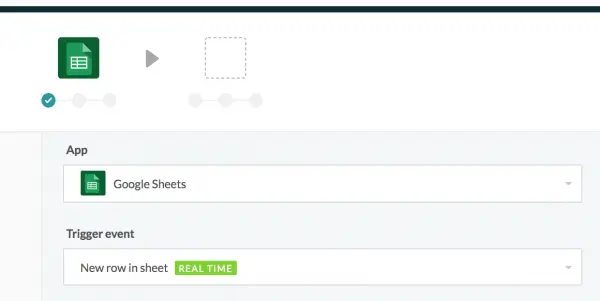
Step 3: Now select your application (Google Sheets) and your trigger (When a new row is added).
- The result should look like this (see image below):
- Once complete, click ‘Next’
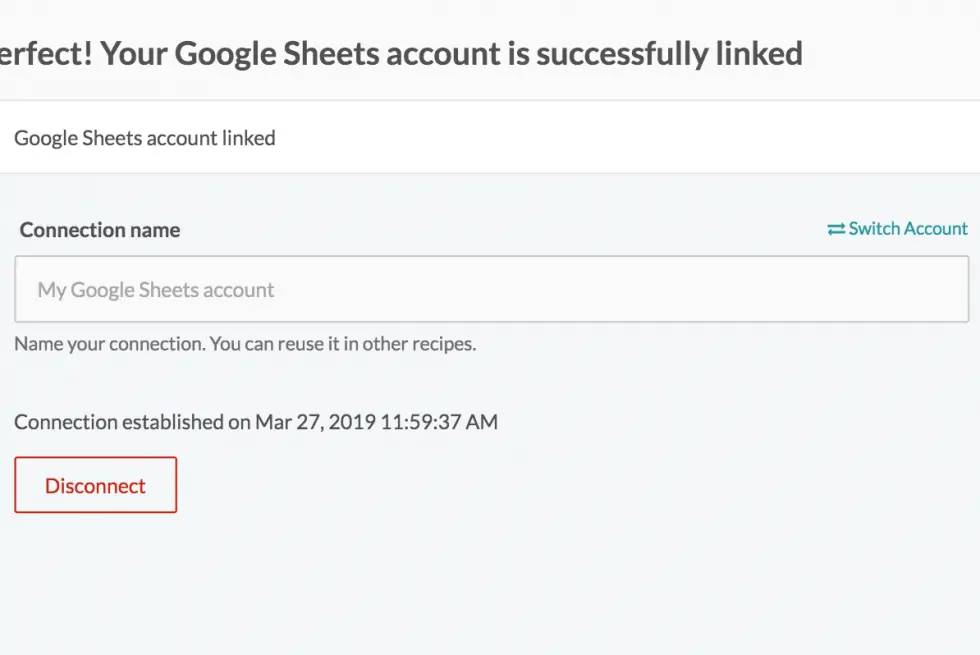
Step 4: Now you will be asked to select a ‘connection’ to your Google Sheets.
- A connection is simply you supplying information to access your Google Sheets account.
- If you’ve done so before you can select from an existing connection.
- Otherwise you will need to create a new Workato connection
- Once complete, your connection should appear as the example picture below
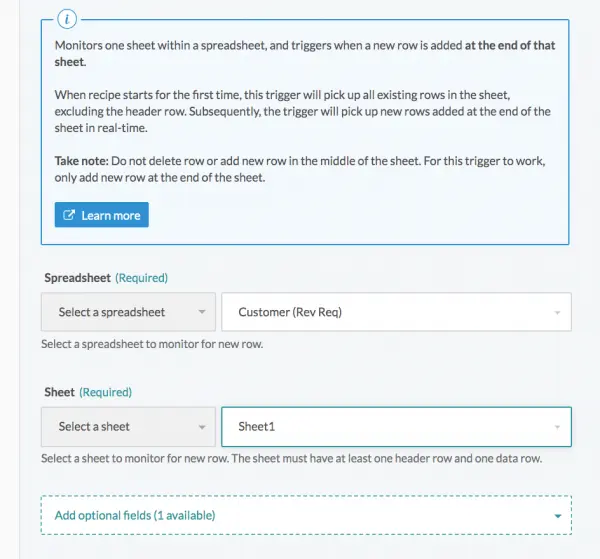
Step 5: Once you select your ‘Connection’ you’ll be prompted to select a spreadsheet from your Google Sheets account
You will also be asked to select a sheet/tab in your spreadsheet you wish to use.
Step 6: Click ‘Next’
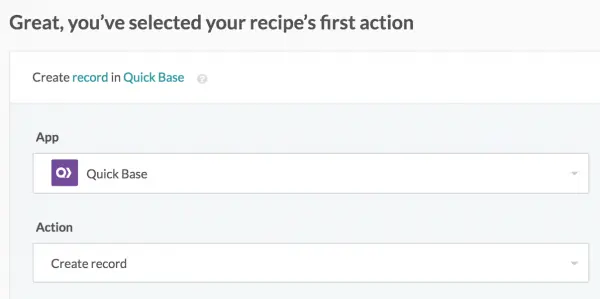
Step 7: Now, you’ll tell Workato what app you want your action to take place in and what kind of action you want to perform.
- In our case, our action is creating a new record in our Quickbase application as shown below:
Step 8: Then click ‘Next’
Step 9: Now you will be asked to create a connection for your Quickbase app.
- Select from your existing accounts: If you have not already created a Quickbase connection do so now.
- If you need help creating a new connection in Workato, please visit our Knowledge Base article, visit: How to Manage API Clients and Client Roles in Workato
- With your connection selected, click 'Next'
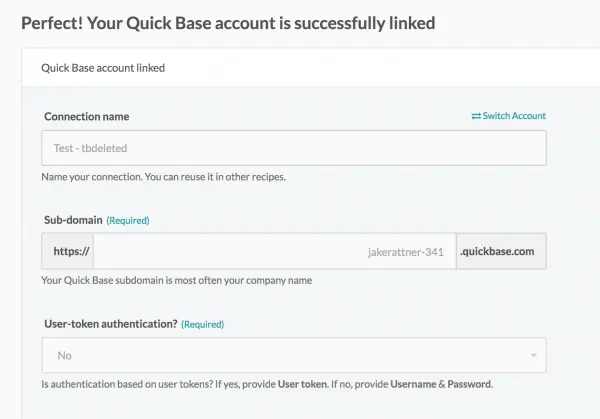
Step 10: Now we’re ready to configure our action.
- Select your application from the list of applications you have access to.
- Add an ‘Application Token’ if required.
- Then, specify the table within your application where you would like to add records.
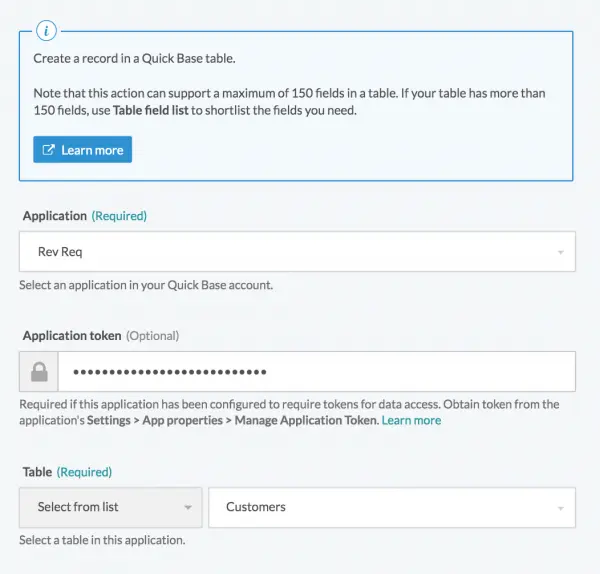
Step 11: Click ‘Finish’
Step 12: Once you have selected your table from the previous step, fields will appear, allowing you to map fields from Google Sheets to Quickbase.
- Select the fields you’d like to use from the ‘Table field list’:
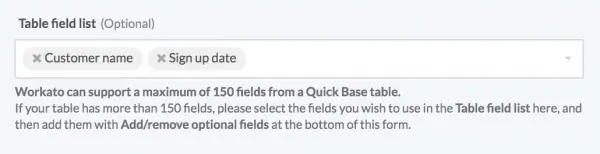
- The fields you’ve chosen will appear below the ‘Table field list’.
- In each Quickbase field choose the Google Sheets field/column whose value you’d like to have entered:
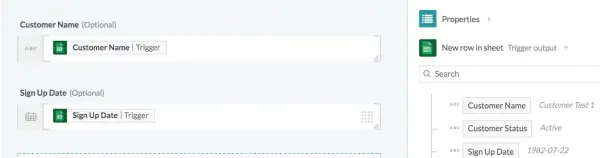
Step 13: Click ‘Finish’
Step 14: If there are no errors in your recipe, you should see the following screen (see example below)
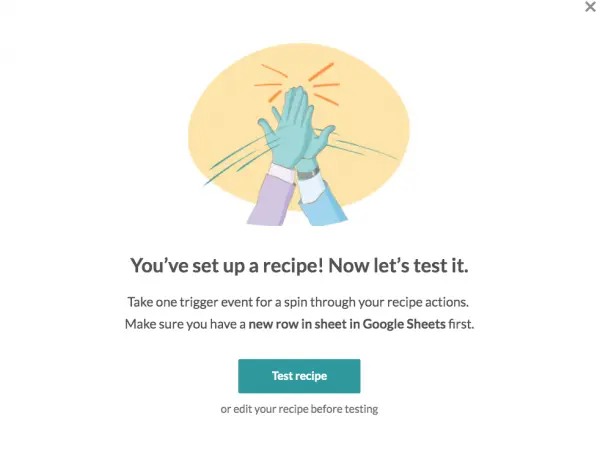
Step 15: Click the green ‘ Test Recipe’ button (see above image for an example)
- This looks for new rows in Google Sheets and, if one is found, will create a new record in Quickbase.
- If there are no items in your Google Sheet, no jobs will be processed.
- If no jobs exist, simply go to your Google Sheet and add one to perform the test.
Congratulations, you’ve now successfully built a your first recipe in Workato!
For additional Workato How-To articles, visit our Workato Knowledge Base.
Top FAQs: Building a Workato Recipe
1. What is a Workato recipe?
A Workato recipe is an automated workflow that connects apps and performs actions when a trigger event occurs.
It follows a simple structure:
Trigger → Actions → (Optional logic, loops, and transformations)
2. How do you build a recipe in Workato (simple steps)?
To build a Workato recipe:
- Choose a trigger app and event
- Authenticate your app connection
- Add one or more actions
- Map data using data pills
- Add logic (optional: If/Else, loops, formulas)
- Test the recipe
- Turn it ON
3. What are the key components of a Workato recipe?
Core components include:
- Trigger → starts the workflow
- Actions → tasks performed
- Data pills → dynamic data from previous steps
- Conditional logic → branching (If/Else)
- Variables → store temporary values
4. What are data pills in Workato?
Data pills are reusable data elements pulled from triggers or actions.
They allow you to:
- Map fields between apps
- Pass dynamic values
- Build flexible automations without coding
5. What apps can you connect in a Workato recipe?
Workato supports 1,000+ integrations, some of the most popular recipes in Workato are:
You can also connect custom APIs using HTTP or SDK connectors.
6. Do you need coding skills to build a Workato recipe?
No—Workato is low-code/no-code.
However, advanced users can use:
- Formula mode (Ruby-based expressions)
- API integrations
- Custom connectors
7. How do you test a Workato recipe?
To test a recipe:
- Use the Test Job feature
- Trigger the event manually (if possible)
- Review Job History for results
- Validate input/output data
8. What is Job History in Workato?
Job History shows every recipe run, including:
- Input data
- Output results
- Errors (if any)
It’s essential for debugging and monitoring performance.
9. How do you handle errors in Workato recipes?
You can manage errors by:
- Adding error handling steps
- Using conditional logic
- Setting up retry mechanisms
- Sending alerts (e.g., Slack/email notifications)
10. What are best practices for building Workato recipes?
Best practices include:
- Keep recipes modular and simple
- Use clear naming conventions
- Avoid unnecessary steps
- Document complex logic
- Test thoroughly before deployment
11. Can you reuse logic across Workato recipes?
Yes, by using:
- Callable recipes (sub-recipes)
- Lookup tables
- Reusable connections and variables
This improves scalability and maintainability.
12. What is a callable recipe in Workato?
A callable recipe is a reusable workflow that can be triggered by other recipes.
Use it to:
- Centralize logic
- Reduce duplication
- Standardize processes
13. How do you optimize a Workato recipe for performance?
To improve performance:
- Minimize unnecessary steps
- Reduce API calls
- Use batch processing when possible
- Simplify conditional logic
14. What are common mistakes when building Workato recipes?
Common pitfalls include:
- Incorrect data mapping
- Not handling null values
- Overcomplicating logic
- Skipping testing
- Hardcoding values
15. How long does it take to build a Workato recipe?
It depends on complexity:
- Simple recipes → minutes
- Moderate workflows → hours
- Complex integrations → days
- Author: John Orsak
- Title: Senior Solution Delivery Consultant | Workato
- Email: jorsak@qundarycg.com
- Date Updated: 04/08/2026






© 2026 Quandary Consulting Group. All Rights Reserved.
Privacy Policy