
Knowledge Base
Articles In This Section
What Are Quickbase Dashboards How to Set Up Personalized Dashboards in QuickbaseHow to Create a Dashboard in QuickbaseHow to add a Webpage Widget (embedded iFrame) to your Quickbase DashboardHow and When to Use Calculated Columns for Quickbase Reports How to Create a Summary Report in Quickbase How to Utilize the Dashboard Side Bar in QuickbaseHow to Build an Operations Dashboard in Quickbase How to Color-Coding Rows for Quickbase Reports Using Automations to Log Approval Time and User in QuickbaseHow to Create External Stakeholder Forms, Reports, and Dashboards in QuickbaseHow to Update the Default Table Home Page and Default Report Columns in QuickbaseHow to Link Dashboards Together in QuickbaseHow to Create Reports and Charts in QuickbaseHow to use Rich Text to Make your Quickbase Dashboard Dynamic Using Report Formulas as a Filter in a Report in QuickbaseHow to Create a Kanban Report in QuickbaseHow to Update the Default Table Home Page and Default Report Columns in QuickbaseHow to Use Report Formulas as a Filter in a Quickbase ReportUnderstanding and Setting Up Subscription Emails in Quickbase How to Create an Audit or Change Logs with Automations How to Create a Pie Chart in QuickbaseHow to Build Standard Reports in QuickbaseAdding Reports to Dashboards | BEGINNERSections
How to Organize & Assign Groups to Quickbase Reports
If you have many reports spread across different tables of your app, you’ll probably want to organize them in ways that make the most sense to users of your app, rather than in one long list.
For example, you might want to move your most frequently visited reports to the beginning of the list, so your users don’t have to search for them in a list of reports. You also might want to consider grouping reports so that all similar reports, such as financial reports, are together.
To Organize reports:
- In the table bar, select the table featuring the report.

- Select Reports & Charts to open the reports panel.

- Select Organize at the top of the panel.
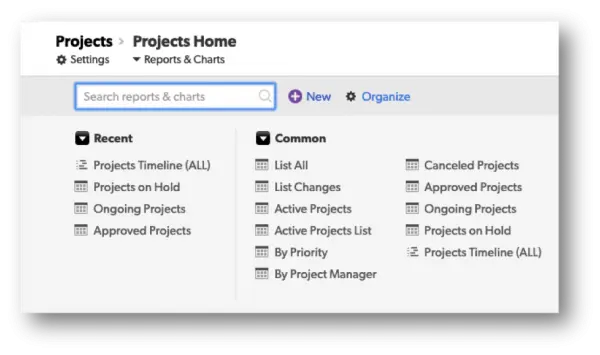
- Select a report’s name or icon and drag it to a different location in the panel. You can move the report to a different location within the same group, or into a separate group. A yellow line will be displayed to show you the drop location.
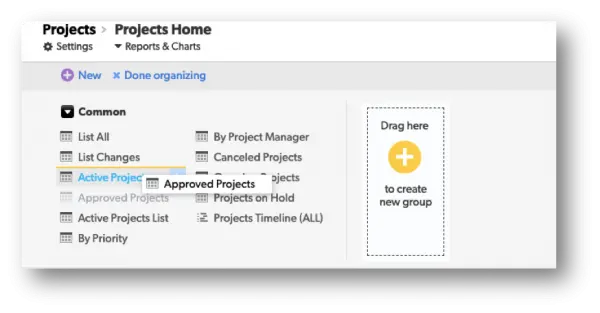
- Drop the report to finish moving it.
- Select Done Organizing to return to viewing the reports panel.
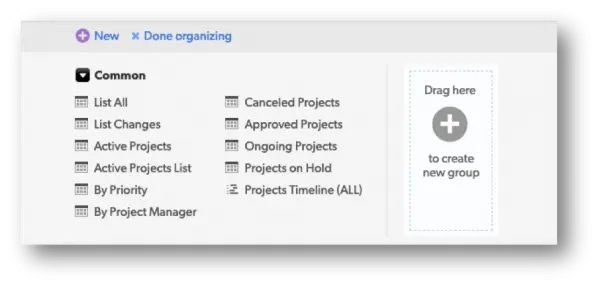
To Rearrange Groups:
Groups can be rearranged just like reports can, except that only one group at a time can be dragged.
To Assign Reports to groups in report settings:
- In the settings for a new or existing report, use the Reports & Charts Panel Section, then select Show options.
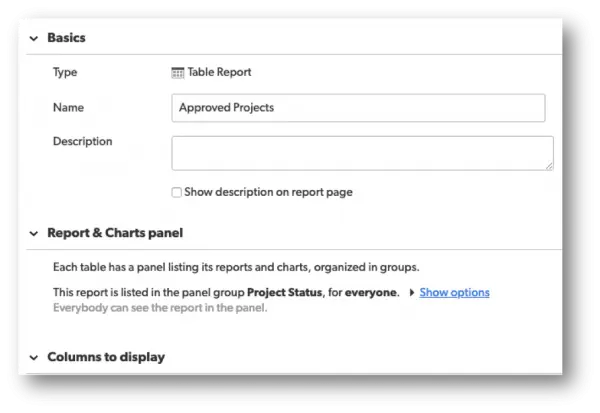
- Use the Group for this report setting to select an existing group.
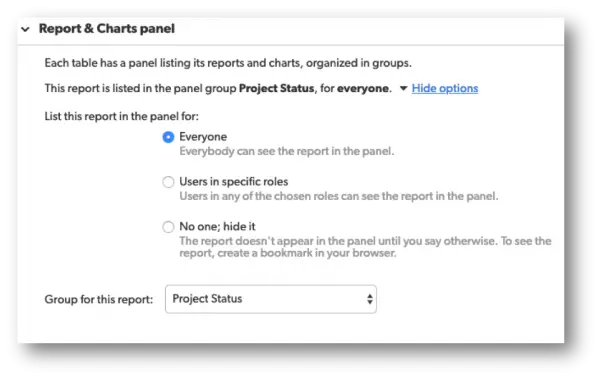
Working with Groups:
To Create a Group:
- Select the Organize button on the reports panel.
- Select one or more reports and drag them onto the “Drag here to create a group” area on the right-hand side of the reports panel.
– EDITORS NOTE: To select/highlight multiple reports at one time, use command + left click (MacOS) or use ctrl + left click (Windows).
- Enter a group name, and click the green check mark or press Enter to save the new name. To cancel, click the (X) icon.
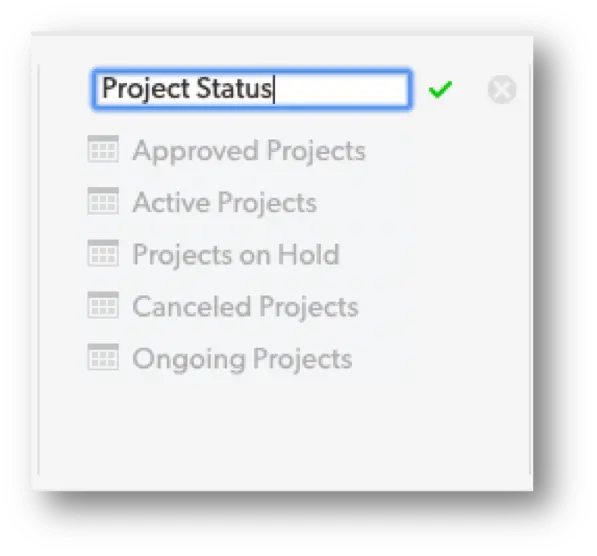
- Select Done Organizing to return to viewing the reports panel.
Group Name Restrictions:
✓ Group names have a maximum of 32 characters.
✓ Group names cannot be blank or empty.
✓ Groups may not be names, Mine, Common, or Recent.
To Delete a Group:
- Select the Organize button on the reports panel.
- Hover over a report’s name, and click the delete icon (X) that appears.
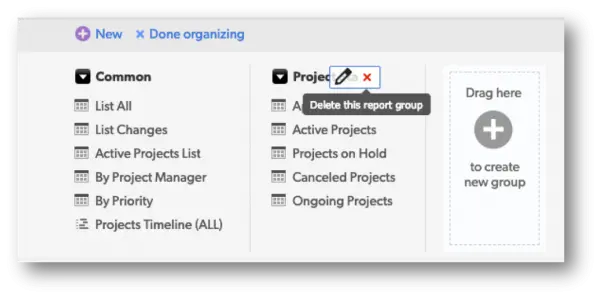
- Confirm the action by clicking Delete Group on the dialog that displays. The reports in the group will be placed back into the Common group after you confirm deletion.
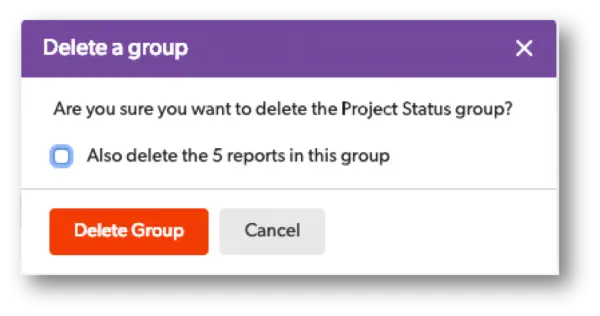
The Dialog box also provides you the option to permanently delete all of the reports in the groups if you so choose.
- Select Done Organizing to return to viewing the reports panel.
To learn more about Reporting & Dashboards, check out more articles here: Reporting & Dashboards
- Author: Alex Skudrovskis
- Email: askudrovskis@quandarycg.com)
- Date Submitted: 2/26/2019


Industries
Resources


© 2026 Quandary Consulting Group. All Rights Reserved.
Privacy Policy