Construction
Construction Workforce Management: How AI, Low-Code, and Automation Improve ROI


TL;DR
- Modern construction workforce management connects labor, scheduling, field operations, compliance, payroll, billing, and project data. Moving beyond spreadsheets and disconnected legacy systems gives contractors real-time visibility into workforce availability, utilization, certifications, and project demand.
- Poor workforce management directly affects construction margins. Idle crews, overtime, scheduling conflicts, inaccurate field data, payroll corrections, compliance issues, and missed billing opportunities can compound across projects and create significant operational and financial drag.
- Low-code platforms and workflow automation allow construction firms to modernize without replacing their entire technology stack. Platforms such as Quickbase, Workato, and Microsoft Power Platform can connect ERP, payroll, project management, field, workforce, and financial systems while automating manual workflows.
- AI is moving construction workforce management toward intelligent workforce orchestration. Connected, governed workforce data can support AI-assisted resource planning, scheduling conflict detection, credential monitoring, anomaly detection, and better operational decision-making while keeping people involved where judgment is required.
- The goal is measurable construction ROI—not simply new technology. An effective workforce management strategy helps contractors improve labor utilization, reduce downtime, strengthen compliance, increase payroll and billing accuracy, protect project margins, and scale operations more efficiently.
Construction companies are still relying on disconnected tools—whiteboards, spreadsheets, and rigid, off-the-shelf platforms—to manage workforce planning. These legacy approaches introduce errors, limit visibility, and create operational inefficiencies that lead directly to unplanned downtime. When crews are underutilized, misallocated, or delayed between jobs, the financial impact is immediate and measurable.
Leading construction firms are moving away from these outdated systems and investing in custom workforce management (WFM) solutions built on low-code platforms such as Microsoft Power Platform, Workato, and Quickbase.
These solutions enable real-time workforce visibility, automated scheduling, and seamless system integration—allowing organizations to operate with greater precision, agility, and control.
Why Construction Firms Are Replacing Legacy Workforce Management Tools
Traditional workforce management systems were not designed for the complexity and variability of modern construction operations. Out-of-the-box platforms often force organizations to adapt their processes to fit the technology—resulting in inefficiencies, workarounds, and limited scalability.
Custom low-code workforce management solutions reverse this dynamic by aligning technology to the business.
Immediate Business Impact:
- Reduced downtime through optimized workforce allocation
- Real-time visibility into labor, certifications, and project status
- Automated scheduling and resource planning
- Improved data accuracy across payroll, operations, and compliance
- Scalable systems that evolve with project demand
Organizations that modernize workforce management are better positioned to improve margins, reduce risk, and deliver projects on time.
The Business Value of Low-Code Workforce Management Solutions
Deploying a custom WFM solution built on low-code platforms like Microsoft Power Apps, Workato, and Quickbase enables construction companies to streamline operations and unlock measurable ROI.
Core Benefits Include:
- Operational Efficiency and Cost Reduction: Automating manual workflows reduces administrative overhead and eliminates time-consuming data entry.
- Improved Workforce Productivity: Ensure the right workers are deployed to the right job sites with the right qualifications—every time.
- Enhanced Project Planning and Execution: Align workforce scheduling with project timelines to minimize delays and improve delivery performance.
- Labor Optimization: Balance workloads across teams to prevent underutilization and burnout.
- Compliance and Risk Mitigation: Track certifications, safety requirements, and regulatory compliance in real time to reduce exposure to fines and incidents.
- Integrated Payroll and Financial Processes: Streamline payroll, time tracking, and accounting through connected systems and automated workflows.
- Real-Time Reporting and Analytics: Enable data-driven decision-making with live dashboards and performance insights.
- Improved Employee Experience and Retention: Reduce miscommunication, improve transparency, and provide better support for field teams.
Quandary Case Study: Chick-fil-a Unified 3,000+ Construction Projects Across a National QSR Brand
The Hidden Cost of Ineffective Workforce Management
Poor workforce management does not always appear as a single, obvious expense on a construction company's financial statements.
Instead, the cost is distributed across idle labor, overtime, scheduling conflicts, administrative work, payroll corrections, project delays, compliance issues, missed billing opportunities, and underutilized crews. Individually, these problems may appear manageable. Repeated across hundreds of employees, thousands of labor hours, and multiple active projects, they can quietly erode project margins and profitability.
In construction, where labor availability and project schedules are constantly changing, even small workforce inefficiencies can have significant downstream consequences.
1. Where Construction Companies Lose Time and Margin
Common workforce management problems include:
- Crews sitting idle because schedules, materials, equipment, or project requirements are not properly coordinated
- Overstaffed projects that consume more labor than the work requires
- Understaffed projects that fall behind schedule or require costly overtime
- Workers assigned without the appropriate skills, training, or certifications
- Last-minute scheduling changes that require managers to manually reorganize crews
- Duplicate data entry across workforce, payroll, ERP, and project management systems
- Inaccurate time and production records that create payroll and billing discrepancies
- Expired certifications or missing credentials that create compliance and safety exposure
- Manual approval processes that delay payroll, billing, or project reporting
- Limited visibility into workforce utilization and performance across projects and locations
The financial impact extends beyond the cost of the individual error.
An incorrect crew assignment can delay production. Delayed production can affect the project schedule. Schedule pressure can increase overtime. Incorrect field data can delay payroll or billing. Missing certifications can prevent an employee from working altogether.
One workforce management problem can create consequences across operations, finance, compliance, and the customer experience.
2. Manual Workforce Management Creates Operational Blind Spots
Many construction organizations still manage critical workforce processes through a combination of spreadsheets, emails, phone calls, text messages, disconnected applications, and institutional knowledge.
These methods may work when operations are smaller, but they become increasingly difficult to manage as the business scales. Without a centralized view of employees, skills, certifications, availability, crew assignments, projects, labor hours, and production, managers may be making workforce decisions with incomplete or outdated information; and this creates an operational blind spot.
Leadership may know total labor costs at the end of the reporting period without having real-time visibility into why labor performance is changing while the project is still underway. By the time an inefficiency appears in a financial report, the opportunity to prevent it may already be gone.
3. Disconnected Workforce Data Can Create Revenue Leakage
The consequences can continue after the work is completed. Construction billing often depends on accurate information from the field, including labor hours, quantities, production activities, equipment usage, work classifications, or other contract-specific variables.
When field and back-office systems are disconnected, employees may have to manually translate operational activity into information that payroll, accounting, and billing systems can use.
Every manual handoff creates another opportunity for information to be delayed, entered incorrectly, or missed entirely. Connecting workforce and production data to downstream financial workflows can help shorten the distance between work performed and work billed, while creating a more reliable operational record.
4. Modern Workforce Management Makes Labor More Visible
Modern construction workforce management software can address these challenges by creating a connected environment for workforce data and processes.
Low-code platforms, workflow automation, system integration, and data orchestration can connect information that previously existed across spreadsheets and disconnected applications. Instead of manually coordinating each step, organizations can create workflows such as: Workforce Demand → Employee Availability → Skills & Certification Validation → Crew Assignment → Field Activity → Time & Production → Approval → Payroll/Billing → Reporting
Automation can route information and trigger predictable actions, while managers retain control over decisions that require operational judgment.
Real-time dashboards can then provide greater visibility into workforce availability, utilization, certifications, project assignments, labor activity, and exceptions that require attention.
5. From Hidden Costs to Measurable Performance
The goal of workforce modernization is not simply to digitize scheduling, it is to make workforce performance visible, measurable, and actionable.
Construction organizations can track metrics such as labor utilization, overtime, idle time, schedule adherence, time-to-fill crew requirements, certification compliance, payroll corrections, administrative hours, and labor cost against project performance.
That visibility allows leaders to identify problems earlier and make better decisions before small inefficiencies become expensive ones.
When construction companies connect workforce data, field operations, project management, payroll, billing, compliance, and reporting, workforce management becomes more than an administrative function. It becomes a tool for protecting project margins, revenue, operational capacity, and sustainable growth.
Common Workforce Management Mistakes to Avoid
Technology alone cannot solve workforce management challenges. Construction organizations can invest in new workforce management software, automation platforms, AI, and analytics and still struggle with the same scheduling conflicts, manual processes, disconnected data, and operational bottlenecks they had before implementation.
Successful workforce management modernization requires alignment between people, processes, data, and technology. Before introducing new tools, organizations need to understand how work actually gets done, where inefficiencies exist, what information employees need, and how workforce processes connect to broader project and financial operations.
Several common mistakes can prevent organizations from realizing the full value of workforce management technology.
1. Over-Relying on Manual Processes
Spreadsheets, emails, phone calls, and manual data entry may be manageable when an organization is smaller. As project volume and workforce complexity increase, however, these processes become difficult to scale.
Manual scheduling can make it harder to coordinate crews across projects. Re-entering information between systems increases the likelihood of errors. Spreadsheet-based certification tracking can create compliance risks. Manual reporting delays visibility into workforce performance.
Organizations should identify repetitive, rules-based activities that can be standardized, integrated, or automated, allowing employees to focus on decisions that require human judgment.
2. Automating Inefficient Processes
One of the biggest workforce modernization mistakes is automating a process simply because it already exists.
If a workflow contains unnecessary approvals, duplicate data entry, redundant steps, or outdated business rules, automation may simply make the inefficient process happen faster. Before implementing workflow automation, organizations should ask:
- Does this step need to exist?
- Can it be simplified?
- Can data be captured once instead of multiple times?
- Can systems exchange this information automatically?
- Who actually needs to approve this decision?
The objective should be to optimize first and automate second.
3. Forcing the Business to Fit the Technology
Off-the-shelf workforce management software can provide valuable functionality, but construction operations rarely fit perfectly into a standardized template.
Different contractors have different crew structures, certification requirements, scheduling models, union requirements, project types, customer requirements, billing structures, and operational processes.
When technology cannot accommodate those differences, employees often create workarounds outside the system and that undermines adoption and eventually recreates the same fragmented environment the new technology was supposed to eliminate.
Low-code development provides another option by allowing organizations to build applications and workflows around their operational requirements while integrating with existing ERP, payroll, field, project management, and workforce systems.
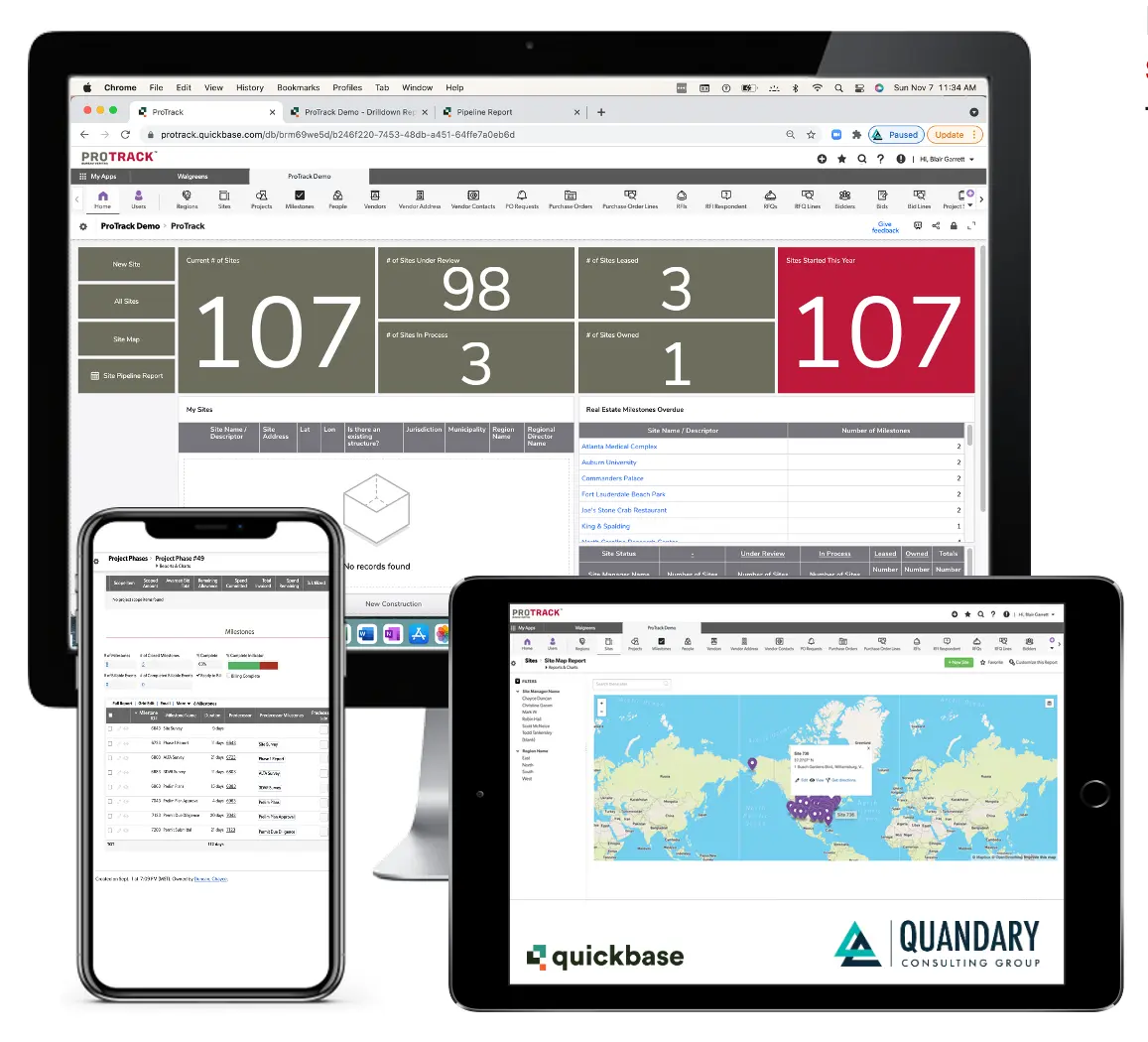
Quandary Case Study: Walgreens, JLL, BVNA & Quandary Redesign ProTrack to Modernize Multi-Site Retail Capital Improvement Management
4. Treating Workforce Management as an Isolated System
Workforce management does not operate independently from the rest of the construction business.
Employee assignments affect project schedules. Certifications affect who can perform specific work. Field activity affects payroll. Production information affects billing. Labor performance affects project margins. A workforce management platform that cannot exchange information with other critical systems may solve one problem while creating another.
Modern workforce architecture should consider how information moves across the complete operational environment: Workforce → Scheduling → Field Operations → Time & Production → Approvals → Payroll → Billing → Reporting
Connecting these processes through APIs, system integration, workflow automation, and data orchestration can eliminate manual handoffs and create a more reliable flow of information between the field and back office.
5. Ignoring Data Quality and Governance
Automation and AI are only as reliable as the information supporting them. Duplicate employee records, inconsistent job codes, outdated certifications, incorrect project information, and conflicting data across applications can undermine workforce planning and automation.
Organizations should establish clear systems of record, data ownership, validation rules, access controls, and governance standards as part of workforce modernization. Clean, governed workforce data also creates a stronger foundation for advanced analytics and AI.
6. Failing to Design for Field Adoption
A workforce management solution can be technically sophisticated and still fail if field teams do not use it consistently.
Construction technology needs to reflect the realities of the job site: Applications should be intuitive, mobile-friendly, fast, and designed around the information employees actually need to capture or access.
Where appropriate, field solutions should support capabilities such as mobile forms, photos, signatures, offline data capture, automated notifications, and simplified data entry.
The fewer unnecessary steps employees encounter, the more likely the organization is to capture complete and accurate information at the source.
Quandary Case Study: Deviney Construction/Magnolia Utility Services Modernizes Field Operations With Quickbase, FastField, Samsara, and Vista
7. Measuring Implementation Instead of Business Outcomes
Launching a workforce management system is not the outcome. Organizations should define what success means before implementation and measure performance after deployment.
Relevant workforce management KPIs may include:
- Labor utilization
- Idle time
- Overtime
- Scheduling efficiency
- Crew fulfillment rates
- Certification compliance
- Payroll corrections
- Administrative hours
- Data accuracy
- Time-to-approval
- Project labor variance
- Employee adoption
These metrics help organizations determine whether workforce modernization is actually improving operational and financial performance.
8. Delaying Modernization Until Existing Processes Break
Organizations often postpone workforce modernization because existing processes technically still work.
But there is a difference between a process that functions and one that scales. Manual processes, disconnected applications, and spreadsheet-based workflows tend to become more expensive and difficult to change as the organization grows. Waiting until those processes become critical operational problems can make modernization more disruptive.
The better approach is to identify constraints before they become bottlenecks and build a workforce management architecture capable of evolving alongside the organization.
9. Build the Workforce Management System Around the Business
Successful workforce management modernization is not about adopting the most technology. It is about creating the right operational environment.
That means simplifying processes, connecting systems, improving data quality, automating repetitive work, designing for employee adoption, and measuring business outcomes.
For construction organizations, the goal should be a connected workforce ecosystem where information moves efficiently between the field, operations, compliance, payroll, finance, and leadership.
When people, processes, data, and technology operate as one connected system, workforce management becomes more than an administrative function. It becomes a strategic capability for improving labor utilization, protecting project margins, reducing operational risk, and scaling the business more effectively.
Why Construction Firms Are Modernizing Legacy Workforce Management Systems
Construction workforce management has become significantly more complex. Contractors must coordinate employees and crews across multiple projects and locations while managing changing schedules, labor availability, skills and certifications, safety requirements, equipment, timekeeping, payroll, compliance, and project-specific requirements. At the same time, operations teams need accurate information from the field quickly enough to make decisions that protect schedules and margins.
Many legacy workforce management systems were not designed for this level of operational complexity—or for the speed at which construction businesses need to adapt.
The result is often a fragmented environment in which critical workforce information lives across ERP systems, spreadsheets, emails, field applications, scheduling tools, payroll platforms, safety systems, and employees' institutional knowledge.
When those systems do not work together, employees are forced to connect the process manually.
The Problem With Legacy Construction Workforce Management
The challenge is not always that an organization's existing software needs to be replaced.
Often, the larger problem is that the technology environment has accumulated over time without an operational layer connecting it.
A construction company may have an ERP that performs accounting well, a field application that captures jobsite information, a fleet platform that manages equipment, and separate systems for payroll, safety, or project management. Each platform may perform its individual function effectively while the end-to-end workforce workflow remains disconnected.
That fragmentation creates common operational problems:
- Workforce and project information spread across multiple systems
- Manual crew scheduling and resource allocation
- Limited visibility into employee availability and utilization
- Difficulty verifying certifications, qualifications, and compliance requirements
- Duplicate data entry between field, payroll, HR, and operations systems
- Spreadsheet-based scheduling and workforce tracking
- Delays communicating field information to the back office
- Manual approval processes for time, production, safety, and payroll
- Inconsistent or outdated workforce data
- Limited real-time visibility for operations leaders
As project volume increases, these inefficiencies become harder to manage.
What begins as a spreadsheet or manual workaround can eventually become a critical dependency supporting hundreds of employees, multiple projects, and millions of dollars in active work.
Modern Workforce Management Creates a Connected Operational Layer
Modernizing workforce management does not necessarily require construction firms to rip and replace every existing application.
Low-code development, workflow automation, system integration, and data orchestration can create a connected operational layer across the existing technology environment.
Instead of managing workforce processes independently, organizations can connect them: Employee → Skills & Certifications → Availability → Crew Assignment → Project → Time & Production → Approval → Payroll/Billing → Reporting
This creates a more complete view of the workforce while allowing information to move between field and back-office systems automatically.
For example, operations teams can see whether employees are available and properly qualified before assigning them to a project. Field information can flow into approval workflows. Approved labor data can move downstream to payroll or accounting. Production information can support billing and project reporting.
The goal is to create one connected flow of operational information rather than a collection of isolated transactions.
Quandary Case Study: KR Wolfe Manages 1,000+ Tools and $50K+ in Equipment With Quickbase Asset Tracking
Immediate Business Impact of Workforce Management Modernization
A connected construction workforce management system can help organizations achieve measurable improvements across several areas.
- Better workforce utilization. Operations leaders gain greater visibility into employee availability, project demand, qualifications, and crew assignments, helping them allocate labor more effectively and reduce avoidable downtime.
- Real-time operational visibility. Centralized workforce data gives project managers and leadership a clearer view of labor, certifications, scheduling, project status, and workforce capacity without relying on multiple spreadsheets or status updates.
- More efficient scheduling and resource planning. Automated workflows can help coordinate crew assignments, identify resource conflicts, notify stakeholders of changes, and respond more quickly as project requirements evolve.
- Improved payroll and billing accuracy. Connecting field activity, employee hours, production data, approvals, and financial systems can reduce duplicate data entry and minimize discrepancies between what happens in the field and what reaches payroll or billing.
- Stronger compliance management. Centralized employee qualifications, certifications, expiration dates, training requirements, and project-specific credentials can make it easier to identify compliance gaps before employees are assigned to work.
- Greater scalability. Flexible low-code applications and integrations can evolve as contractors add projects, employees, customers, locations, acquisitions, or new business requirements.
Modern Workforce Management Can Directly Affect Construction Margins
Workforce management is not simply an administrative function. In construction, it has a direct relationship with project execution and profitability.
Labor is one of the industry's most significant and difficult-to-manage resources. When workforce information is inaccurate or delayed, contractors risk assigning the wrong resources, carrying unnecessary downtime, delaying projects, creating payroll errors, missing billing opportunities, or discovering compliance problems after work has already been scheduled.
Even relatively small inefficiencies can become significant when repeated across hundreds of employees, thousands of labor hours, and multiple active projects. Modern workforce management gives organizations better information at the point where operational decisions are made.
From Workforce Management to Intelligent Workforce Orchestration
The next evolution goes beyond digitizing schedules or replacing spreadsheets. Construction firms can combine low-code applications, workflow automation, enterprise integration, data orchestration, analytics, and AI to create more intelligent workforce operations.
AI can help organizations analyze workforce demand, surface scheduling conflicts, identify expiring credentials, summarize field information, detect anomalies, and support resource-planning decisions. Automation can then coordinate predictable actions across systems while employees maintain oversight of decisions requiring operational judgment.
This creates a progression from: Manual Workforce Management → Connected Workforce Data → Automated Workflows → Intelligent Workforce Orchestration
For construction organizations, that progression can create a stronger connection between the field, operations, finance, compliance, and leadership. The objective is not technology modernization for its own sake. It is building an operational environment that gives the right people access to the right workforce information at the right time.
Construction firms that modernize workforce management are better positioned to improve labor utilization, protect margins, strengthen compliance, reduce administrative work, respond to changing project demands, and deliver work more predictably at scale.
Why Low-Code Platforms Are Transforming Construction Workforce Management
Effective workforce management requires having the right people, in the right place, at the right time—with the right tools to succeed. Low-code platforms such as Microsoft Power Platform, Workato, and Quickbase make this possible by enabling rapid development of tailored solutions.
Microsoft Power Platform: Enables end-to-end workforce applications, automation, and analytics through Power Apps, Power Automate, and Power BI.
Workato: Connects systems across HR, payroll, project management, and ERP platforms through enterprise-grade integrations and workflow automation.
Quickbase: Supports rapid development of operational applications tailored to field teams and project workflows.
Together, these platforms create a connected workforce management ecosystem that eliminates silos and drives efficiency across the organization.
Quandary Case Study: Google Transforms Project Intake Across 2,500+ Projects and 19 Partner Teams
Why Custom Low-Code Solutions Outperform Off-the-Shelf Tools
Off-the-shelf workforce management platforms can solve common business problems, but construction operations are rarely standardized enough to fit neatly inside a preconfigured system.
Every construction organization has its own combination of crews, projects, equipment, safety requirements, timekeeping processes, approvals, billing structures, compliance requirements, and back-office systems. When software cannot accommodate those realities, employees are often forced to adapt their processes to the technology—or create spreadsheets, manual workarounds, and disconnected applications to fill the gaps.
Custom low-code solutions take a different approach. They allow organizations to build technology around the way the business actually operates. Instead of replacing every existing system, low-code platforms can create a flexible operational layer that connects field teams, project managers, back-office employees, data, and enterprise applications.
What Are the Benefits of Low-Code for Construction?
Custom low-code applications can provide construction organizations with:
- Tailored workflows designed around existing field and back-office processes
- Faster application development and iteration than traditional custom software development
- Integrated data across ERP, accounting, project management, workforce, equipment, and field applications
- Mobile field applications for inspections, safety reporting, timekeeping, production tracking, photos, signatures, and other job site activities
- Automated approvals and notifications that reduce administrative coordination
- Real-time operational visibility through centralized dashboards and reporting
- Flexible business rules that can accommodate different projects, customers, crews, contracts, and operating requirements
- AI and intelligent automation capabilities that can be incorporated as business needs evolve
- Scalable architecture that can adapt as the organization adds employees, projects, locations, or services
Quandary Case Study: Advanced Fiber Saved 300+ Hours Annually with Custom Field Service ERP
Low-Code Can Connect the Field to the Back Office
One of the biggest opportunities for low-code in construction is closing the gap between what happens in the field and what happens in the office.
Field teams generate enormous amounts of operational information:
- Labor hours
- Equipment usage
- Production quantities
- Inspections
- Safety events
- Jobsite documentation
- Photos
- Material usage
- COI and Warranty
- Completed work
When that information is captured through disconnected systems or paper-based processes, employees may need to manually re-enter, validate, reconcile, and distribute it before the business can use it.
A custom low-code environment can create a connected workflow: Field Data Capture → Validation → Approval → System of Record → ERP/Accounting → Billing/Payroll → Reporting
Through integrations and workflow automation, information captured once in the field can become available to the systems and employees that need it downstream; this can reduce duplicate data entry, improve data accuracy, accelerate administrative processes, and give leadership greater visibility into operations.
Low-Code Complements Existing Construction Technology
Adopting low-code does not necessarily mean replacing an organization's existing technology stack.
Construction companies may already rely on platforms for ERP, accounting, project management, fleet management, workforce management, document management, and field operations. The challenge is often that those systems were designed for different purposes and do not naturally support every cross-functional workflow.
Low-code can help bridge those gaps - Platforms such as Quickbase, combined with integration and automation technologies such as Workato, can provide an orchestration layer between specialized business applications. Organizations can preserve the systems that work while creating custom workflows and integrations for the processes that do not fit neatly within an off-the-shelf product.
Low-Code (and AI) Build Around the Process, Not the Product
The most important difference between custom low-code development and traditional off-the-shelf software is the starting point.
- With packaged software, organizations often begin by asking: “How do we configure our operations to fit this product?”
- With a well-designed low-code solution, the question becomes: “How should this process work, and what technology do we need to support it?”
And, this distinction matters - Construction operations change constantly. New projects introduce different requirements. Customers request different reporting. Compliance requirements evolve. Teams expand. Acquisitions introduce new systems. Business processes that work today may need to change six months from now.
Low-code gives organizations the flexibility to modify applications, automate new workflows, integrate additional systems, and introduce AI capabilities without rebuilding the entire technology environment from scratch.
Rather than forcing the business to adapt to rigid software, low-code allows technology to evolve alongside the business—creating a more connected, scalable, and adaptable foundation for construction operations.
How Quandary Helps Construction Firms Scale Workforce Management
At Quandary Consulting Group, we design and implement custom workforce management solutions using Microsoft Power Platform, Workato, and Quickbase.
Our solutions are built to streamline and automate:
- Workforce scheduling and resource allocation
- Project planning and execution
- Time tracking and payroll integration
- Compliance and certification management
- Data analytics and forecasting
- Team communication and reporting
By leveraging low-code development, we deliver enterprise-grade solutions quickly and cost-effectively—without the overhead of traditional custom development. Organizations gain the capabilities of large-scale enterprise systems while maintaining flexibility and cost control.
Quandary Case Study: Google Modernizes Global Construction Planning Across 2,500+ Data Center Projects
Ready to Modernize Your Workforce Management Strategy?
Construction organizations that modernize workforce management are seeing measurable improvements in efficiency, cost control, and project delivery. Those that delay continue to face operational inefficiencies, rising costs, and increased competitive pressure.
If you are evaluating workforce management solutions—or looking to move beyond spreadsheets and legacy tools—now is the time to act. If you are looking to:
- Optimize workforce planning and scheduling
- Reduce downtime and operational inefficiencies
- Implement Microsoft Power Platform, Workato, or Quickbase
- Build a scalable, low-code workforce management solution
At Quandary Consulting Group, we can help you design and deliver a solution aligned to your business. Schedule a free consultation to begin transforming your workforce management strategy into a competitive advantage.
Top FAQs about Low-Code and AI in Construction Workforce Management
What is construction workforce management?
Construction workforce management is the process of planning, scheduling, assigning, tracking, and supporting employees and contractors across projects and job sites. It helps ensure that each project has the right workers, skills, and certifications when they are needed.
Why are spreadsheets and whiteboards ineffective for workforce planning?
Spreadsheets and whiteboards quickly become outdated, require manual updates, and provide limited visibility across projects. These disconnected tools increase the risk of scheduling conflicts, data-entry errors, compliance issues, and costly workforce downtime.
What is construction workforce management software?
Construction workforce management software centralizes workforce data, project requirements, scheduling, availability, certifications, time tracking, and reporting. A modern solution gives office and field teams real-time information for making faster, more accurate staffing decisions.
How can workforce management software reduce construction downtime?
Workforce management software helps managers anticipate staffing gaps, identify available workers, coordinate transitions between projects, and align labor with changing project timelines. This reduces the time crews spend waiting for assignments, approvals, equipment, or project information.
What are the benefits of a custom workforce management solution?
A custom solution can support the construction company’s existing processes instead of forcing the organization into rigid, predefined workflows. Benefits include:
- More accurate workforce scheduling
- Better labor utilization
- Real-time operational visibility
- Automated workflows and notifications
- Improved compliance tracking
- Easier integration with existing systems
- Greater flexibility as the business grows
What is a low-code workforce management solution?
A low-code workforce management solution is a tailored application built using platforms that accelerate application development and automation. Platforms such as Microsoft Power Platform, Workato, and Quickbase allow construction firms to create scalable systems faster and at a lower cost than traditional custom development.
Can low-code workforce management software integrate with existing systems?
Yes. Low-code solutions can connect workforce management with HR, payroll, accounting, ERP, project management, time-tracking, and safety systems. These integrations reduce duplicate data entry and help maintain consistent information across the organization.
How does workforce management improve construction labor utilization?
A centralized solution gives managers visibility into employee availability, location, skills, certifications, project assignments, and upcoming demand. This makes it easier to identify underutilized workers, fill staffing gaps, and avoid overstaffing or understaffing projects.
Can workforce management software track certifications and compliance?
Yes. A custom system can track licenses, certifications, training requirements, expiration dates, and site-specific qualifications. Automated notifications can alert managers before credentials expire or prevent unqualified workers from being assigned to restricted work.
How does workforce management connect with payroll and time tracking?
Workforce management software can send approved hours, project codes, labor classifications, and other information directly to payroll and accounting systems. This reduces manual entry, improves payroll accuracy, and provides clearer insight into project labor costs.
How much does a custom construction workforce management solution cost?
Cost depends on the number of users, workflow complexity, required integrations, data migration needs, and reporting requirements. Low-code development can reduce implementation time and cost because teams can configure and iterate on applications without building every component from scratch.
How long does it take to implement a low-code WFM solution?
Implementation timelines vary based on scope and complexity. A focused initial solution may be deployed relatively quickly, while an enterprise-wide system involving multiple departments and integrations will take longer. A phased approach allows companies to deliver high-value capabilities first and expand over time.
How is a custom solution different from off-the-shelf WFM software?
Off-the-shelf software requires companies to work within standardized features and workflows. A custom low-code solution is designed around the company’s processes, terminology, project structure, business rules, and existing technology—providing greater flexibility and improving user adoption.
Which low-code platform is best for construction workforce management?
The right platform depends on the organization’s technology environment and goals:
- Microsoft Power Platform is well suited for companies using Microsoft 365, Dynamics, Azure, and Power BI.
- Workato is particularly effective for enterprise integrations and cross-system workflow automation.
- Quickbase supports rapid development of flexible operational applications for complex project and field workflows.
Some organizations may benefit from using multiple platforms as part of one connected ecosystem.
What should construction companies consider before implementing WFM software?
Companies should first evaluate their workforce processes, data quality, integration requirements, compliance obligations, reporting needs, and user experience. Inefficient processes should be improved before they are automated so the new solution does not simply reproduce existing problems.
How is ROI measured for construction workforce management software?
ROI can be measured through reductions in workforce downtime, administrative effort, scheduling errors, overtime, compliance incidents, and payroll corrections. Companies can also track improvements in labor utilization, project delivery, workforce visibility, employee retention, and operating margins.