
Knowledge Base
Create a Record in Quickbase Using Docparser & Workato
Quickbase is a great service for housing large amounts of data. Forms, imports, and automations are tools that make entering information into Quickbase efficient. These are good solutions for most use cases (If you would like to learn more about these tools, check out the links at the bottom of this article).
- However, each tool has some limitations:
- Forms are limited because you can only create one record at a time;
- Automations are limited by your access to other systems
- Imports are limited to flat files.
What if you receive data from a client that needs to be entered into Quickbase, but they can only send you a pdf and are not willing to let you access their system? Without access to their system - automations are out. Imports are out because a flat file is not provided.
One solution is to insert the pdf information using a Form in Quickbase efficient, but it becomes tedious very quickly if there are numerous records and it always has the risk of data entry error. Fortunately, there are other softwares that can be used to solve the problem of creating records from pdfs.
What is Docparser?
Docparser is a data capture software, and Workato (an iPass solution that focuses on automations), are services that can be leveraged to efficiently create records in Quickbase efficient from a pdf.
In the situation outlined above, docparser can be used to read the pdf and extract the necessary information (parsing rules) for data entry in Quickbase efficient.
From there, Workato can take the information from docparser and automatically create the records in Quickbase efficient. Therefore, by leveraging docparser and Workato, hours of data entry and numerous potential data entry errors can be eliminated.
Workato Recipe: PDF to Quickbase Records
- Outlined below is a Workato recipe that will take the information extracted from the pdf via Docparser and create the corresponding Quickbase records.
- If you need a refresher on Workato recipes, check out Creating Your First Workato Recipe.
- Set up a Document Parser and create the Parsing Rules in docparser;
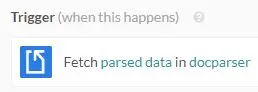
- Create a trigger in Workato to “Fetch parsed data in Docparser
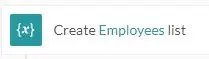
- Create a list to capture the data from the Document Parser;
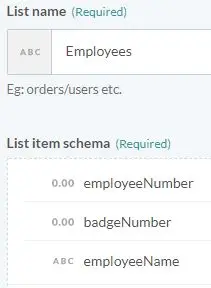
- Add items to the list that correspond to the fields in your Quickbase table;
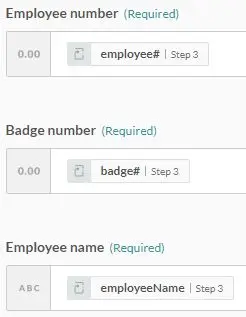
- Create a loop and pass the information from the Document Parser into the list created in step 3 above;
- Compose a CSV from the list created earlier in your Workato recipe;
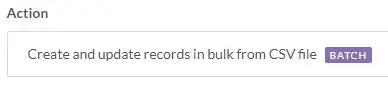
- Create and update records in Quickbase from the CSV file created in step 6;
If you want to learn other ways to enter information into Quickbase, please check out some of our other Knowledge Base articles:
By: Kevin Shuler
Email: kevin@quandarycg.com
Date Submitted: 06/22/2020


Resources



© 2026 Quandary Consulting Group. All Rights Reserved.
Privacy Policy