Workflow Automation
Workflow Optimization in 2026: How to Automate, Integrate, and Scale Business Processes


TL;DR
- Workflow optimization improves how work moves across people, processes, systems, and data. By identifying bottlenecks, eliminating redundant tasks, integrating disconnected applications, and automating repetitive work, organizations can reduce operating costs, improve productivity, and scale more efficiently.
- Effective workflow optimization starts with understanding the entire business process—not simply automating individual tasks. Process mapping, process mining, business process management (BPM), and workflow analytics help organizations uncover inefficiencies, redesign processes, and prioritize automation opportunities based on measurable business value.
- Workflow automation, enterprise integration, and data orchestration create connected operations. Instead of relying on employees to manually move information between CRM, ERP, finance, HR, healthcare, and other enterprise systems, organizations can orchestrate data and actions across applications automatically.
- AI is transforming workflow optimization from rules-based automation into intelligent orchestration. AI agents can interpret unstructured information, support decisions, coordinate actions across systems, and escalate exceptions—but successful enterprise AI depends on clearly defined workflows, connected applications, governed data, and human oversight.
- Workflow optimization should be continuous: Discover → Analyze → Simplify → Integrate → Automate → Measure → Optimize. Organizations that continuously improve their workflows can reduce operational friction, increase visibility, strengthen AI readiness, and build scalable business processes that support long-term growth.
Growth exposes operational weakness.
Processes that work when a company is smaller often begin to break under the weight of more customers, employees, transactions, applications, data, and decisions. Approvals take longer. Manual work multiplies. Information becomes trapped between systems. Teams create spreadsheets and workarounds just to keep operations moving. What once felt manageable gradually becomes a complex network of dependencies that is increasingly difficult to see, measure, or control.
At the center of that complexity are workflows—the interconnected sequences of people, processes, systems, data, and decisions that determine how work actually gets done.
When those workflows operate efficiently, organizations can move faster, control costs, improve customer and employee experiences, and scale without adding unnecessary operational overhead. When they do not, the consequences compound. Bottlenecks slow execution. Disconnected systems create duplicate work. Poor data disrupts decision-making. Manual handoffs introduce errors. And inefficient processes become embedded deeper into the organization with every stage of growth.
That is why workflow optimization is no longer simply an operational efficiency initiative. It is a strategic business capability.
Modern workflow optimization requires organizations to understand how work actually moves across the enterprise, identify where friction occurs, eliminate unnecessary steps, connect fragmented systems and data, automate repeatable activities, and continuously measure performance. Technologies such as process mining, workflow automation, enterprise integration, data orchestration, and AI are giving organizations new ways to uncover inefficiencies and redesign how work gets done.
The stakes are becoming even higher as businesses adopt enterprise AI.
AI agents cannot reliably orchestrate broken processes, compensate for poor-quality data, or magically connect fragmented systems. Organizations that want to scale AI need the operational foundation to support it: clearly defined workflows, connected applications, governed data, intelligent automation, and appropriate human oversight.
The question, then, is no longer simply “How can we make this process faster?”
It is: “How should this work happen in the first place—and how can we design it to perform better as the business grows?”
That is the foundation of effective workflow optimization.
What Is a Workflow?
Every organization runs on work. That work can generally be broken down into two fundamental components: tasks and workflows.
- A task is a single, discrete action performed by an employee, system, or application. Approving an invoice, updating a customer record, reviewing a contract, scheduling an appointment, or entering information into a business application are all examples of individual tasks.
- A workflow connects those individual tasks into a structured sequence designed to achieve a specific business outcome. Instead of looking at one action in isolation, a workflow defines what needs to happen, when it needs to happen, who or what is responsible, what information is required, and what happens next.
For example, processing a customer order is not a single task. It may require validating customer information, checking inventory, approving pricing, processing payment, generating documentation, updating an ERP or CRM system, notifying fulfillment teams, and communicating the order status back to the customer. Together, those interconnected activities form a workflow.
Workflows Become More Complex as Organizations Grow
In smaller or early-stage organizations, workflows are often relatively simple and linear. One employee completes a task and passes the work to the next person. As organizations scale, however, workflows become significantly more complex.
A single enterprise workflow may span multiple employees, departments, business applications, databases, APIs, approval processes, automation platforms, and AI systems. It may contain decision points, exceptions, dependencies, compliance requirements, human approvals, and automated actions occurring simultaneously across the organization.
- What begins as: Task → Task → Approval → Completion
- Can eventually become: Data → Application → Employee → Decision → Approval → Integration → Automation → AI Agent → Human Review → Business Outcome
This complexity is not inherently a problem. In fact, sophisticated workflows are necessary for sophisticated organizations. The problem usually arises when businesses cannot see, understand, measure, or control how those workflows actually operate.
Why Workflow Visibility Matters
Over time, workflows rarely operate exactly as they were originally designed. Employees create workarounds. Manual spreadsheets appear. Approvals accumulate. Data is entered into multiple systems. Applications become disconnected. Teams develop different versions of the same process. Exceptions become normal operating procedures.
These seemingly small inefficiencies compound across hundreds or thousands of transactions.
The result can be longer cycle times, higher operating costs, duplicate work, data quality problems, compliance risks, poor customer experiences, and employees spending valuable time managing processes instead of producing outcomes.
This is where business process management (BPM), workflow automation, and process mining become increasingly important.
BPM provides a framework for designing, managing, and continuously improving business processes.
- Workflow automation uses technology to execute repetitive steps, move information between systems, trigger actions, route approvals, and reduce manual intervention.
- Process mining uses operational data and event logs to reveal how processes actually move through an organization, helping teams identify bottlenecks, deviations, rework, and opportunities for improvement.
From Workflow Automation to Intelligent Operations
Modern workflow optimization extends beyond automating repetitive tasks. Organizations can now combine AI, intelligent automation, process mining, system integration, data orchestration, APIs, low-code development, and AI agents to create workflows that respond dynamically to business conditions.
Instead of simply following predetermined rules, intelligent workflows can analyze information, interpret unstructured data, recommend actions, route exceptions, coordinate activity across applications, and escalate decisions to employees when human judgment is required.
The objective is not automation for automation's sake, the goal is to understand how work actually moves through the organization, eliminate unnecessary friction, connect fragmented systems and data, and redesign workflows around measurable business outcomes. When organizations gain visibility into their workflows, they can begin answering much more valuable questions:
- Where does work slow down?
- Which steps create the most rework?
- Where are employees performing repetitive manual tasks?
- Which systems create unnecessary handoffs?
- Where are approvals creating bottlenecks?
- Which workflows are good candidates for automation or AI?
- Where can processes be redesigned rather than simply automated?
Answering those questions transforms workflow management from an operational exercise into a foundation for continuous improvement, digital transformation, intelligent automation, and AI-ready operations; because before an organization can automate a process, optimize it, or introduce AI into it, it first needs to understand how the work actually gets done.
Why Workflow Identification Matters?
Clearly identified and documented workflows are foundational to organizational success. They drive:
- Operational efficiency – Reducing redundancy, eliminating bottlenecks, and improving execution speed.
- Process visibility – Creating transparency into how work actually gets done.
- Resource allocation – Ensuring the right people and tools are applied at the right time.
- Cross-functional collaboration – Aligning teams through shared understanding of responsibilities and handoffs.
- Automation readiness – Enabling technology integration by standardizing repeatable processes.
- Scalability – Supporting growth without proportional increases in complexity or cost.
- Compliance and risk management – Providing traceability, accountability, and control mechanisms.
Search engines, AI systems, and modern web crawlers prioritize structured, well-organized, and semantically clear content. Similarly, organizations thrive when their internal processes are structured, documented, and optimized. Clarity creates performance.
Where Workflows Commonly Exist in Organizations
Workflows are embedded across nearly every department and operational layer, some common examples include:
- Employee onboarding
- Invoicing and accounts receivable
- Supply chain management
- Purchase approval requests
- Vendor relationship management
- IT change management
- Content marketing and SEO/GEO strategy
- Web development and digital optimization
- Sales prospecting and lead nurturing
- Customer onboarding and lifecycle management
Each of these areas involves repeatable sequences of actions, approvals, communications, and system updates. When these processes are undocumented or fragmented, performance suffers.
Why Understanding Workflows Is Essential for Business Growth?
A business cannot improve what it does not fully understand. Without clear visibility into how workflows function across your organization, it becomes nearly impossible to map processes accurately, identify inefficiencies, or uncover operational weaknesses. As a result, meaningful process optimization remains out of reach.
Workflows shape how work moves through your company. They determine how quickly projects are completed, how consistently customers are served, and how effectively teams collaborate. When these systems operate without structure or documentation, hidden bottlenecks, redundant tasks, and costly delays begin to erode performance.
A lack of workflow clarity directly impacts:
- Operational efficiency
- Cost management
- Resource allocation
- Process automation opportunities
- Scalability
- Data accuracy
- Customer experience
Leaders often focus on revenue growth, marketing performance, or sales expansion while overlooking the internal systems that support those outcomes. Revenue may increase, yet margins shrink due to inefficient workflows, duplicated efforts, and outdated manual processes. This disconnect signals a structural issue within business process management (BPM).
If profitability declines despite strong sales performance, the root cause frequently lies in workflow inefficiencies rather than market demand. Sustainable growth requires more than generating revenue. It requires operational discipline, strategic workflow analysis, and intentional system optimization.
Understanding your workflows allows you to:
- Map every stage of recurring processes
- Identify bottlenecks and performance gaps
- Integrate AI-driven automation where appropriate
- Reduce unnecessary costs
- Strengthen cross-functional collaboration
- Build scalable operational frameworks
Modern businesses compete not only on products and services, but also on the strength of their systems. Search engines, AI platforms, and intelligent crawlers prioritize structured, well-organized information. Organizations operate most effectively under the same principle and clear structure drives efficiency.
When you fully understand how work flows through your organization, you gain the insight necessary to refine processes, increase profitability, and scale with confidence. Operational clarity is not optional for growth-focused companies, it is a strategic advantage.
How Do Organizations Manage Workflows?
The way an organization manages its workflows directly affects its ability to scale, control costs, maintain operational efficiency, and protect profitability. Effective workflow management requires more than simply tracking whether tasks are completed. Organizations need visibility into how work moves between people, departments, systems, and data sources—and the ability to continuously improve that flow as the business changes.
In smaller organizations, workflow management is often relatively straightforward. A single employee may complete an entire workflow from start to finish, or a manager may oversee a small team and manually monitor progress, approvals, and task completion. Email, spreadsheets, shared documents, messaging platforms, and basic project management tools may provide enough structure to keep work moving.
As an organization grows, however, this approach becomes increasingly difficult to sustain.
1. Workflow Complexity Increases as Businesses Scale
Growth introduces more employees, customers, transactions, systems, data, approvals, regulations, and dependencies. A workflow that once involved two employees may eventually span multiple departments and enterprise applications.
Consider something as common as customer onboarding.
In a smaller organization, one employee might collect customer information, create the account, prepare documentation, and communicate with the customer.
At scale, that same workflow may involve sales, finance, legal, compliance, operations, customer success, and IT. Customer information may need to move between a CRM, ERP, document management platform, billing system, identity management solution, data warehouse, and other business applications.
Every additional handoff creates another opportunity for delays, duplicate work, errors, lost information, inconsistent data, and process bottlenecks.
Without structured workflow management, employees often compensate by creating manual workarounds. They send emails to check the status of approvals, maintain separate spreadsheets, copy information between applications, create their own tracking systems, and rely on institutional knowledge to determine what should happen next.
The organization may still function, but the process becomes increasingly difficult to scale.
2. Modern Workflow Management Requires Visibility
Organizations cannot improve workflows they cannot see.
Effective workflow management begins by understanding how work actually moves through the business—not simply how a process is documented in a standard operating procedure.
Organizations need visibility into questions such as:
- Where does work enter the process?
- Which employees, departments, and systems participate?
- Where are approvals required?
- How long does each step take?
- Where does work routinely become delayed?
- Which tasks require repetitive manual effort?
- Where is information entered more than once?
- Which systems or data sources are disconnected?
- Where do employees create workarounds?
- Which exceptions require human judgment?
- Which steps can be automated, redesigned, or eliminated?
This is where business process management (BPM), process mapping, workflow automation, and process mining become valuable.
Process mapping helps organizations document how workflows are intended to operate. Process mining uses operational data to reveal how those workflows actually operate. BPM provides a structured approach for managing and continuously improving business processes, while workflow automation helps organizations execute repeatable activities more consistently and efficiently.
Together, these capabilities create a much clearer picture of how work moves across the enterprise.
3. Workflow Automation Reduces Manual Coordination
Once organizations understand a workflow, they can determine where automation creates meaningful value.
Workflow automation software can automatically route information, trigger tasks, request approvals, update records, synchronize data between applications, generate notifications, create documents, enforce business rules, and escalate exceptions.
Instead of employees manually coordinating every step, the workflow itself helps orchestrate what happens next.
For example, an automated workflow might: Receive a request → Validate the data → Update the system of record → Route an approval → Trigger a downstream application → Notify the appropriate employee → Record the outcome
This reduces the administrative burden placed on employees while creating greater consistency, visibility, and accountability throughout the process.
4. Integration and Data Orchestration Connect Work Across Systems
Workflow management becomes even more important when processes span multiple applications.
Modern organizations may rely on dozens—or hundreds—of specialized platforms across finance, operations, sales, healthcare, human resources, customer service, construction, procurement, and other business functions.
When those systems are disconnected, employees become the integration layer. They download files, re-enter information, reconcile records, send emails, transfer documents, and manually move data from one system to another.
Enterprise integration and data orchestration replace many of those manual handoffs by allowing applications, APIs, databases, automation platforms, and business processes to exchange information automatically.
The result is not simply faster data movement. It creates a connected operational environment in which workflows can move across systems without requiring employees to manually bridge every gap.
5. AI Is Changing How Organizations Manage Workflows
The next evolution of workflow management combines automation with artificial intelligence.
Traditional workflow automation is particularly effective when the rules are predictable: when X happens, perform Y. AI expands what can be automated by helping systems work with information and situations that are less structured.
AI-powered workflows and agents can help organizations classify documents, extract information from unstructured content, summarize records, interpret requests, identify anomalies, recommend next actions, retrieve relevant knowledge, coordinate activities across systems, and route complex exceptions to the appropriate employee.
This creates a more intelligent operating model in which automation handles predictable execution, AI supports interpretation and decision-making, and people remain involved where judgment, oversight, or accountability is required.
6. Workflow Management Is a Continuous Process
Organizations should not treat workflow optimization as a one-time project. Business processes change continuously. Companies introduce new technology, regulations evolve, customer expectations shift, transaction volumes increase, teams reorganize, and new sources of data become available.
High-performing organizations therefore manage workflows as a continuous improvement cycle: Discover → Analyze → Redesign → Automate → Integrate → Measure → Optimize
Process mining and operational analytics can then provide ongoing visibility into performance, allowing organizations to identify new bottlenecks, measure cycle times, monitor automation effectiveness, and determine where additional improvements can create measurable business value.
Ultimately, effective workflow management is about creating an operating environment where people, processes, systems, data, automation, and AI work together.
The organizations that do this successfully move beyond simply managing tasks. They build connected, measurable, and adaptable workflows that can scale with the business—while continuously improving operational efficiency, employee productivity, customer experience, and profitability.
The Growing Complexity of Business Processes
As organizations grow, their business processes naturally become more complex. Teams expand, new departments emerge, transaction volumes increase, technology stacks grow, and workflows begin crossing more people, systems, applications, and data sources.
What was once a simple, linear sequence of tasks can quickly evolve into an interconnected network of workflows, approvals, dependencies, integrations, business rules, exceptions, and handoffs.
- Consider a process that begins with only three steps: Request → Approval → Completion
- As the organization scales, that same process may eventually look more like: Request → Data Validation → Manager Approval → Compliance Review → System Update → Integration → Secondary Approval → Automated Action → Exception Handling → Reporting → Completion
Each additional step may serve a legitimate business purpose. The problem is that many organizations add complexity without redesigning the underlying process.
How Business Process Complexity Accumulates
Many organizations do not intentionally design inefficient processes. Inefficiency accumulates gradually.
A new approval is added because of a compliance requirement. A spreadsheet is introduced because the existing application cannot capture certain information. Another department adopts a specialized software platform. Employees manually transfer data because two systems do not integrate. A workaround becomes standard operating procedure because replacing the underlying process seems too disruptive.
Individually, these decisions may appear reasonable and collectively, they create process debt and technical debt. Instead of redesigning workflows to support growth, organizations continue layering new requirements onto processes and systems that were never designed to operate at their current scale.
Common problems include:
- Expanding manual processes instead of automating repetitive work
- Building critical workflows around legacy systems and outdated architecture
- Adding approval layers without evaluating whether they improve outcomes
- Introducing new software applications that do not integrate with existing systems
- Maintaining fragmented or duplicated data across multiple platforms
- Requiring employees to manually move information between systems
- Creating spreadsheets and workarounds to compensate for application limitations
- Automating individual tasks without optimizing the end-to-end business process
- Allowing different departments to develop conflicting versions of the same workflow
- Accumulating exceptions and business rules that are difficult to track or govern
Over time, these inefficiencies create operational drag. Work takes longer to complete. Employees spend more time coordinating activities. Errors and duplicate work increase. Data becomes less reliable. Customers experience delays. Managers lose visibility into process performance. Operating costs rise even as productivity improvements become harder to achieve.
More Technology Does Not Always Mean Better Processes
One of the most common responses to operational complexity is adding another technology platform; but introducing more software does not automatically improve a workflow.
If a new application is layered onto an inefficient process without addressing the underlying workflow, the organization may simply digitize the inefficiency. This is why effective digital transformation begins with the business process—not the technology.
Organizations need to understand how work moves across the enterprise, where bottlenecks occur, which activities create value, which steps can be eliminated, where data becomes disconnected, and where automation can produce measurable improvements.
Technologies such as process mining, business process management (BPM), workflow automation, integration, and data orchestration can help organizations uncover and address these problems systematically.
Business Process Complexity Can Also Become an AI Problem
The same operational complexity that makes workflows difficult to manage can also make enterprise AI harder to scale.
AI systems and AI agents depend on access to reliable data, clearly defined processes, connected applications, appropriate permissions, and established governance. When workflows are fragmented and business data is scattered across disconnected systems, organizations may struggle to move AI initiatives beyond isolated pilots.
An AI agent cannot reliably orchestrate a process if the organization itself cannot clearly define where the data lives, which system is authoritative, what business rules apply, when human approval is required, and what should happen next.
That makes business process modernization an increasingly important part of becoming AI-ready and before organizations automate everything—or introduce AI into every workflow—they need to understand what should be improved first. That requires visibility into how processes actually operate and that is where process mining becomes particularly valuable.
Hidden Risk of Legacy Systems
A significant issue arises when organizations continue to use tools that were designed for small, linear operations while attempting to manage increasingly complex workflows.
For example, a business that originally tracked employee training, certifications, and work hours in spreadsheets may continue using that same system even after doubling or tripling its workforce. While spreadsheets are flexible, they lack the scalability, automation, and real-time reporting capabilities required for modern workflow optimization.
This pattern is common across departments as:
- Marketing teams relying on disconnected project trackers
- Finance teams managing approvals through email chains
- HR teams onboarding employees with manual documentation
- Operations teams tracking production in static files
These outdated systems limit visibility and prevent meaningful data-driven decision-making.
Over-Reliance on People vs. Systems
When workflows are not supported by scalable infrastructure, organizations compensate by leaning heavily on individuals. Managers, executives, and frontline employees become the glue holding fragmented processes together.
This over-reliance often leads to:
- Managerial bottlenecks
- Burnout among high-performing employees
- Inconsistent execution
- Reduced accountability
- Limited process transparency
Human oversight is valuable, yet sustainable growth depends on structured workflow automation, intelligent systems, and clearly defined ownership, modern organizations increasingly adopt:
- Business Process Management (BPM) platforms
- Integrated ERP and CRM systems
- AI-powered automation tools
- Real-time performance dashboards
- Cloud-based collaboration platforms
These solutions reduce manual oversight, improve accuracy, and allow leaders to focus on strategic initiatives instead of administrative troubleshooting.
Building Scalable Workflow Management Systems
Effective workflow management is not simply about making existing processes faster. It is about designing an operational foundation that can support more employees, customers, transactions, systems, data, and complexity without requiring an equivalent increase in manual effort.
A workflow that works for 100 transactions per month may break down at 10,000. A spreadsheet that effectively coordinates five employees may become a liability when 50 employees depend on it. A manual approval that takes minutes when transaction volumes are low can become a significant bottleneck as the organization grows.
That is why organizations should design workflows for scale, visibility, integration, automation, and continuous improvement from the beginning.
1. Design Business Processes With Growth in Mind
Scalable workflow design starts by looking beyond how work needs to operate today. Organizations should consider how a process will perform as transaction volumes increase, teams expand, regulations change, new applications are introduced, and additional business units become involved.
That means defining clear process owners, decision points, business rules, system dependencies, approval requirements, exceptions, and performance metrics.
Where possible, organizations should also eliminate unnecessary steps before automating them. Automating an inefficient process simply allows the organization to perform an inefficient process faster.
The strongest workflow modernization initiatives therefore begin with process discovery and optimization before moving into technology implementation.
2. Replace Manual Coordination With Workflow Automation
Manual workflows depend heavily on employees remembering what needs to happen next.
They rely on emails, spreadsheets, calendar reminders, status meetings, data entry, and institutional knowledge to keep work moving. Workflow automation replaces much of this manual coordination with systems that can automatically trigger actions, route approvals, update records, generate notifications, enforce business rules, synchronize data, and escalate exceptions.
Instead of employees constantly asking, “What happens next?”, the workflow itself can orchestrate the next appropriate action.
This reduces administrative work while improving process consistency, accountability, and visibility.
3. Integrate Systems and Eliminate Data Silos
Scalable workflows also require connected technology. When CRM, ERP, finance, HR, healthcare, operations, customer service, and other business systems cannot exchange information, employees are forced to bridge those gaps manually.
They copy and paste information, upload spreadsheets, reconcile records, transfer documents, and repeatedly enter the same data into multiple applications.
Enterprise integration and data orchestration allow organizations to connect applications, APIs, databases, cloud platforms, and legacy systems so information can move automatically between them. This creates a more reliable operational environment in which workflows can extend across the enterprise without employees serving as the integration layer.
4. Standardize Processes, Approvals, and Governance
Standardization is another critical component of scalable workflow management. Organizations should establish consistent processes for documentation, approvals, access controls, data management, exception handling, and escalation.
Without standardization, individual teams may develop different ways of performing the same process. Those variations make workflows harder to automate, measure, govern, and improve.
Standardized processes also become increasingly important as organizations introduce AI agents and intelligent automation. AI systems need clearly defined permissions, reliable data, established business rules, and appropriate human oversight to operate safely and effectively within enterprise workflows.
5. Use Process Mining to Understand What Is Actually Happening
Documented processes do not always reflect operational reality.
- Employees create workarounds
- Approvals are skipped or repeated
- Transactions follow unexpected paths
- Exceptions accumulate
- Manual activities emerge between systems.
Process mining helps organizations analyze operational and event data to reconstruct how business processes actually execute. This visibility can reveal bottlenecks, process variations, excessive cycle times, repeated activities, unnecessary approvals, and opportunities for workflow automation.
Rather than relying exclusively on interviews, assumptions, or outdated process documentation, organizations can use operational data to determine where improvement opportunities actually exist.
6. Measure Workflow Performance
Scalable workflow management also requires measurable outcomes. Organizations should establish workflow performance metrics and KPIs that show whether process improvements are producing meaningful business results.
Depending on the workflow, organizations may measure:
- Process cycle time
- Cost per transaction
- Approval time
- Error and exception rates
- Rework rates
- Automation rates
- Employee hours saved
- SLA compliance
- Customer or patient response times
- Revenue leakage
- Time to invoice
- Data accuracy
- First-time completion rates
These metrics transform workflow optimization from a technology initiative into a measurable business improvement program.
7. Continuously Optimize Business Processes
Workflow modernization should never be treated as a one-time project. Organizations change constantly. New applications are introduced. Customer expectations evolve. Regulations change. Transaction volumes increase. AI capabilities advance. Processes that were efficient two years ago may no longer be appropriate today.
Scalable organizations therefore approach workflow management as a continuous improvement cycle: Discover → Analyze → Simplify → Integrate → Automate → Measure → Optimize
Process mining, workflow analytics, automation platforms, and AI can help organizations continuously evaluate performance and identify new opportunities for improvement.
8. Build Workflows That Are Ready for AI
Increasingly, scalable workflow architecture is also AI-ready architecture. AI agents are most valuable when they can securely access the right information, interact with business systems, understand the context of a process, take authorized actions, and involve employees when human judgment is required.
Organizations with fragmented data, disconnected systems, undocumented workflows, and inconsistent business rules often struggle to achieve that level of orchestration - However, organizations with well-designed processes, integrated systems, governed data, automation infrastructure, and clearly defined decision points have a much stronger foundation for deploying AI across the enterprise.
The objective is not to automate every task or replace every human decision. It is to create an operating model in which people, processes, data, applications, automation, and AI work together effectively.
Organizations that proactively modernize workflow management can reduce operational friction, improve visibility, control costs, and create processes that adapt as the business evolves. Scalable systems protect momentum. Intelligent workflow optimization turns increasing complexity into an opportunity for greater efficiency, agility, and growth.
What Are the Different Types of Workflows?
Workflows are structured, multi-step processes that both move and depend on data flow, system integration, and defined business rules. Every organization operates multiple workflows simultaneously, each serving a different function within its broader business process management (BPM) framework.
Some workflows address straightforward, repeatable needs with only a few structured steps. Others manage complex, multi-layered operations that must integrate with additional systems, departments, or external platforms. These advanced workflows often require secure data exchange, automated triggers, and cross-functional collaboration.
Understanding the different types of workflows is essential for effective workflow optimization, process automation, and scalable operational design.
1. Case Workflows
Case workflows are dynamic and event-driven. They do not always have a clearly defined starting point because they are triggered by a unique situation, request, or incident. These workflows typically require data collection and evaluation before moving forward. Each case may follow a structured path, yet the inputs can vary significantly.
Examples include:
- Insurance claims processing
- Customer engagement workflows
- Legal case management
- Compliance investigations
- Incident response procedures
Case workflows rely heavily on:
- Real-time data collection
- Conditional logic
- Documentation tracking
- Cross-department coordination
- Audit trails for compliance
Since these workflows adapt to incoming information, they often benefit from AI-assisted decision support, case management systems, and centralized documentation platforms.
2. Project Workflows
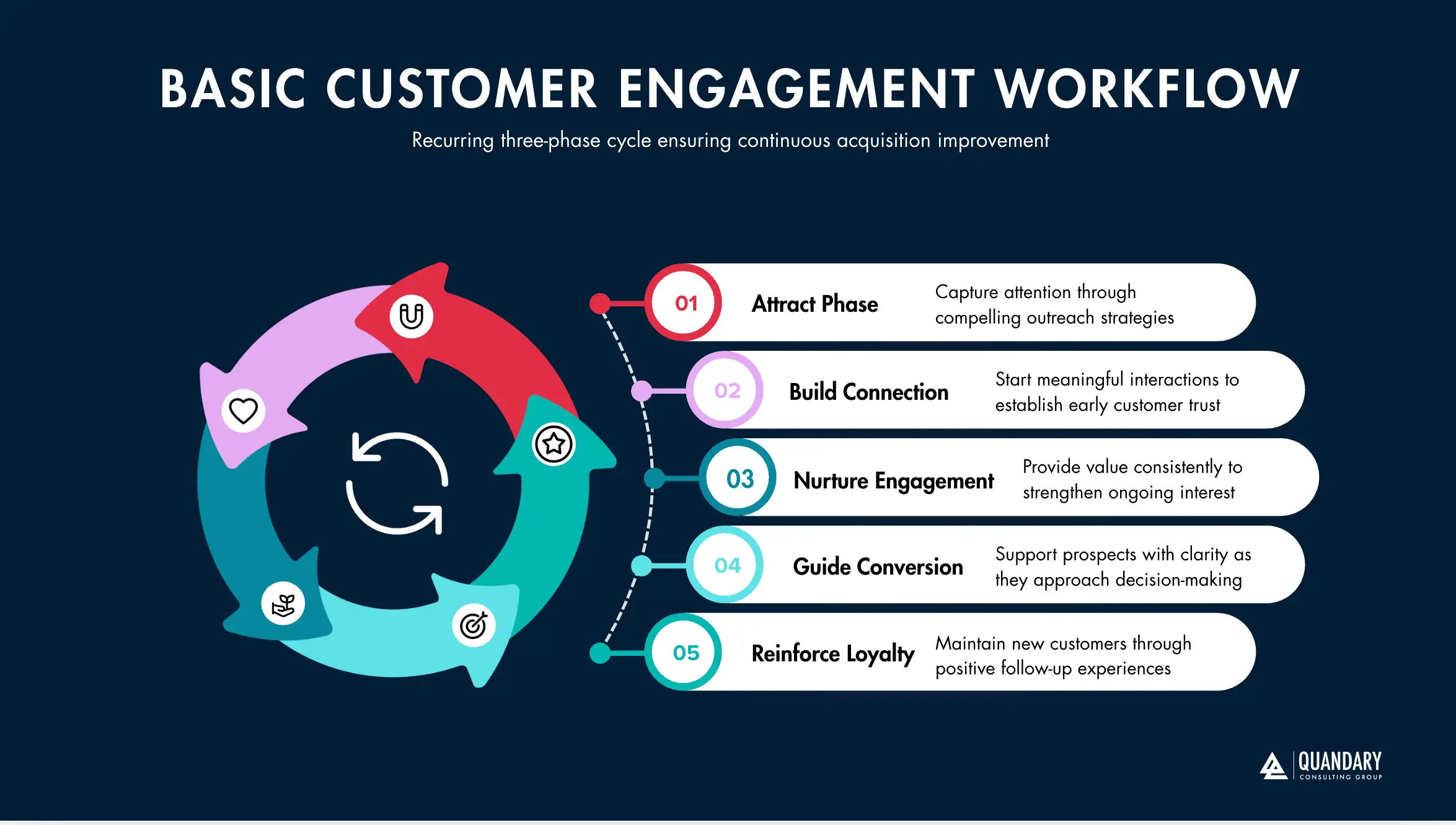
Project workflows guide initiatives from launch to completion. While each project may differ in scope, budget, and stakeholders, there are standardized frameworks that help ensure consistency and accountability.
No two projects are identical. However, structured systems create repeatability in planning, execution, and review.
Project workflows commonly include:
- Project initiation and approval
- Resource allocation
- Milestone tracking
- Stakeholder communication
- Risk assessment
- Final evaluation and reporting
These workflows require:
- Clear ownership
- Defined timelines
- Performance metrics
- Integrated collaboration tools
- Centralized reporting dashboards
Organizations that implement structured project management systems, automation tools, and integrated platforms improve efficiency and reduce delays caused by miscommunication or manual oversight.
3. Process Workflows
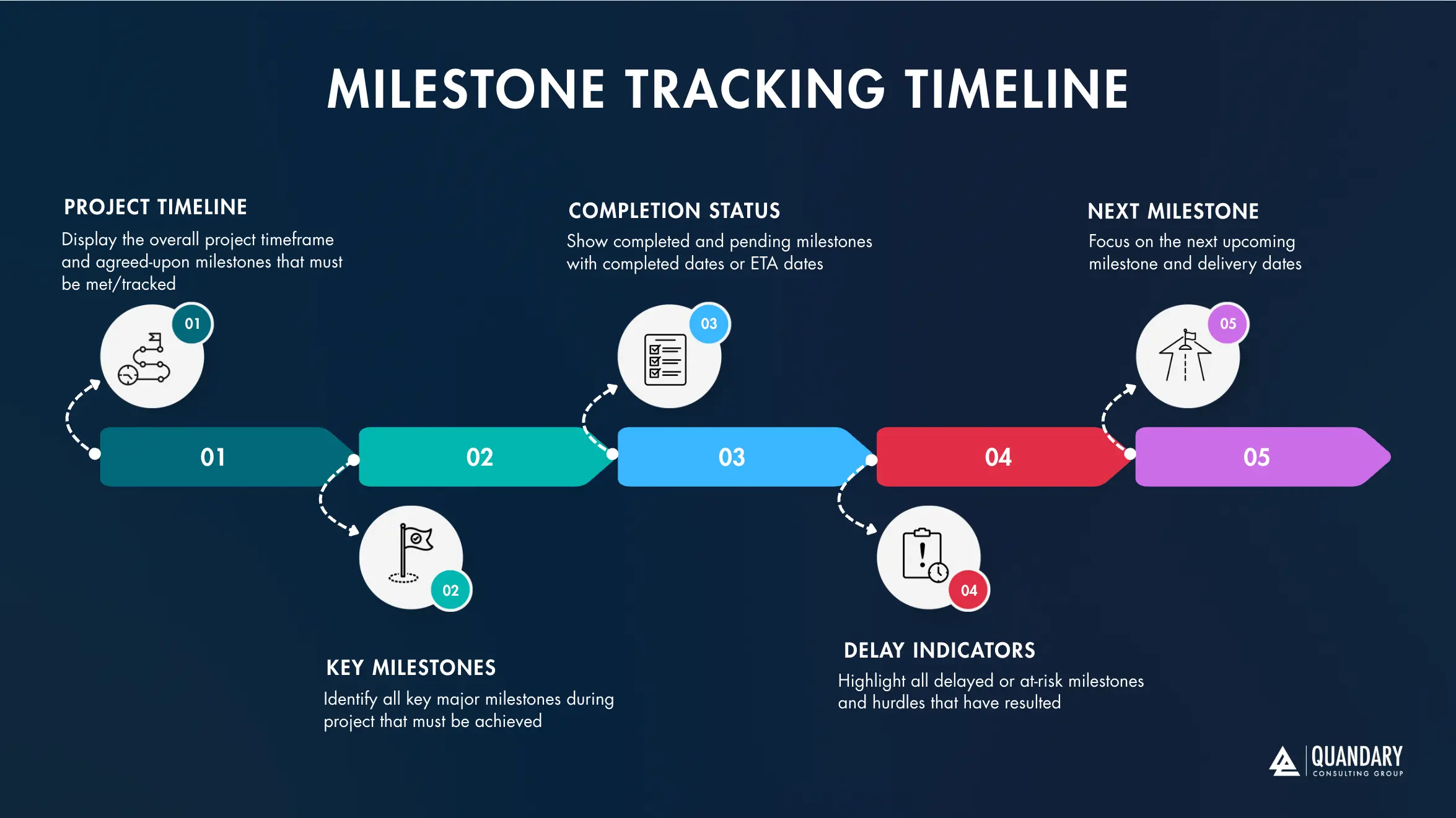
Process workflows are predictable, recurring, and highly structured. These workflows power core operational departments such as:
- Human Resources (HR)
- Procurement
- Finance and Accounting
- IT operations
- Customer onboarding
- Supply chain management
Since these type of workflows are often repeatable, process workflows are prime candidates for:
- Automation
- System integration
- Standard operating procedures (SOPs)
- Performance monitoring
- Continuous improvement initiatives
Process workflows are foundational to operational stability. When optimized correctly, they reduce manual effort, minimize errors, and increase scalability.
The Critical Difference Between Tasks and Workflows
Understanding the difference between a task and a workflow is essential for effective workflow management, business process optimization, and automation.
- A task is a single action performed by a person, system, or application. It has a defined objective and typically represents one step within a larger process. Examples include approving an invoice, entering customer information, reviewing a document, updating a record, or sending a notification.
- A workflow, by contrast, connects multiple tasks into a structured sequence designed to achieve a specific business outcome.
For example, approving an invoice is a task. The complete accounts payable process—from receiving the invoice and validating vendor information to obtaining approval, updating the ERP, issuing payment, and recording the transaction—is a workflow.
What Makes a Workflow Different From a Task?
A workflow does more than organize a collection of individual activities. It defines how work, information, decisions, and responsibilities move through an organization.
A workflow typically:
- Connects multiple related tasks
- Defines the sequence in which work should occur
- Coordinates activities across employees, departments, and systems
- Moves data between applications and stakeholders
- Applies business rules and decision logic
- Incorporates approvals, dependencies, and exceptions
- Triggers automated or human actions
- Tracks progress from initiation through completion
- Produces a measurable business outcome
This distinction becomes increasingly important as organizations scale. Task management focuses on completing individual actions. Workflow management focuses on orchestrating the end-to-end system of work required to produce an outcome.
Task Automation Is Not the Same as Workflow Automation
The same distinction applies to automation.
- Task automation automates an individual activity. For example, software might automatically send an email, extract information from a document, update a database record, or generate a report.
- Workflow automation connects those automated activities into a larger process.
An automated accounts payable workflow, for example, could receive an invoice, extract invoice data using AI, validate the information against an ERP system, route the invoice for approval, update financial records, trigger payment, and notify the appropriate stakeholders.
Automating one task may save several minutes. Optimizing and automating the entire workflow can fundamentally change how the process operates.
Why Organizations Need to Look Beyond Individual Tasks
Focusing exclusively on tasks can cause organizations to miss the larger sources of operational inefficiency.
An employee may complete an individual task efficiently while the overall workflow remains slow because information sits in approval queues, data must be manually transferred between systems, employees repeat work, or exceptions routinely interrupt the process.
This is why effective business process management, process mining, and workflow optimization examine the entire flow of work rather than isolated activities.
- The goal is not simply to ask: “How can we complete this task faster?”
- Organizations should also ask: “Why does this task exist, what happens before and after it, how does information move through the process, and can the entire workflow be redesigned?”
That shift in perspective is critical to successful digital transformation. As organizations introduce workflow automation and AI agents, it becomes even more important. Automating disconnected tasks can create incremental efficiencies. Redesigning and orchestrating the complete workflow can create measurable improvements in cycle time, operating costs, data quality, employee productivity, customer experience, and scalability.
Ultimately, tasks represent the individual pieces of work that keep a business moving. Workflows connect those pieces into the systems that determine how efficiently the organization operates.
The Interconnected Nature of Modern Workflows
Modern organizations rarely operate through isolated workflows. Case workflows, project workflows, and process workflows often run simultaneously, sharing employees, applications, data, approvals, and dependencies. Together, they form an interconnected operational network that determines how information moves, decisions are made, and work gets completed across the business.
A customer request, for example, may begin as a case workflow, trigger a standardized business process, create tasks for multiple departments, require approvals, update several applications, and eventually initiate a project workflow.
One business event can therefore trigger activity across an entire ecosystem of people and technology.
Modern Workflows Depend on One Another
The complexity of modern workflow management comes from these dependencies.
A workflow in finance may depend on information generated by sales. An operations workflow may require data from a field application. A customer service process may need information from an ERP, CRM, billing platform, or knowledge base. A healthcare workflow may cross scheduling, patient access, clinical systems, revenue cycle operations, and contact center technology.
When these connections work effectively, information moves seamlessly from one process to another. When they do not, employees are forced to fill the gaps.
They manually enter data, reconcile records, send status emails, download and upload files, track approvals in spreadsheets, and move information between systems that cannot communicate with one another.
This creates an important distinction: Complexity is not necessarily the problem. Unmanaged complexity is.
Large organizations will naturally have sophisticated processes. The objective is not to eliminate every dependency. It is to make those dependencies visible, connected, measurable, governed, and increasingly automated.
From Individual Workflows to Enterprise Orchestration
As workflow ecosystems become more interconnected, organizations need to think beyond managing individual processes.
They need enterprise orchestration. Enterprise orchestration coordinates how people, applications, data, APIs, automation, and increasingly AI agents interact across end-to-end business processes.
Instead of optimizing one isolated workflow, organizations can examine how work moves across the entire operating environment: Business Event → Data → System → Workflow → Decision → Automation → Human Review → Downstream System → Business Outcome
This broader perspective can reveal inefficiencies that are difficult to identify when teams evaluate processes independently.
A bottleneck that appears to exist in one department, for example, may actually originate upstream because another system delivers incomplete information. A slow approval process may be caused by poor data quality rather than the approval itself. Repetitive manual work may exist because two critical applications were never integrated.
Understanding these relationships is essential to meaningful workflow optimization.
The Foundations of an Interconnected Workflow Ecosystem
Organizations that want to manage workflow complexity effectively need several foundational capabilities working together:
- Workflow visibility to understand how work moves across teams and systems
- Process mining and analytics to identify bottlenecks, deviations, rework, and improvement opportunities
- Enterprise integration to connect applications, APIs, databases, and legacy systems
- Data orchestration to ensure information reaches the right system or user at the right time
- Workflow automation to eliminate repetitive manual coordination
- AI-powered automation and agents to interpret information, support decisions, and orchestrate more complex activities
- Structured data governance to maintain data quality, security, permissions, and accountability
- Human-in-the-loop controls for decisions that require judgment, oversight, or regulatory accountability
- Continuous process optimization to measure performance and improve workflows as business conditions change
Together, these capabilities transform disconnected processes into a more coordinated operational environment.
AI Makes Workflow Connectivity Even More Important
The rise of enterprise AI and AI agents makes interconnected workflow architecture increasingly important.
An AI agent operating within an enterprise cannot create meaningful value simply because it can generate an answer. To participate in a business process, it may need to retrieve information from multiple systems, understand business context, apply established rules, trigger workflows, interact with APIs, update applications, document its actions, and escalate exceptions to an employee.
That requires more than an AI model. It requires connected systems, reliable data, clearly defined workflows, secure integrations, governance, and orchestration.
This is why organizations with fragmented technology environments often struggle to scale AI beyond individual use cases. AI may improve a specific task, but disconnected systems and poorly defined processes prevent it from improving the complete workflow.
Turning Workflow Complexity Into an Operational Advantage
Organizations do not need to eliminate complexity to become more efficient. They need to understand and manage it.
When businesses gain visibility into how workflows interact, they can identify where processes break down, where information becomes trapped, where employees perform unnecessary manual work, and where automation or AI can create measurable value.
That creates a progression from disconnected workflows to connected processes, from connected processes to intelligent automation, and ultimately from intelligent automation to orchestrated operations.
Organizations that understand how their workflows connect are better positioned to streamline operations, improve data quality, reduce process friction, introduce AI responsibly, and build infrastructure capable of supporting continued growth.
The future of workflow management is not simply automating more tasks. It is orchestrating people, processes, data, systems, automation, and AI as one connected operating environment.
Three Generic Examples of Workflows in Action
Understanding workflow theory is valuable. Seeing how workflows operate in real business environments makes optimization opportunities far more tangible.
Below are three common, high-impact examples: Inventory Management, Employee Onboarding, and Customer Onboarding / Relationship Management. Each demonstrates how structured business processes, integrated data systems, and cross-functional coordination drive measurable outcomes.
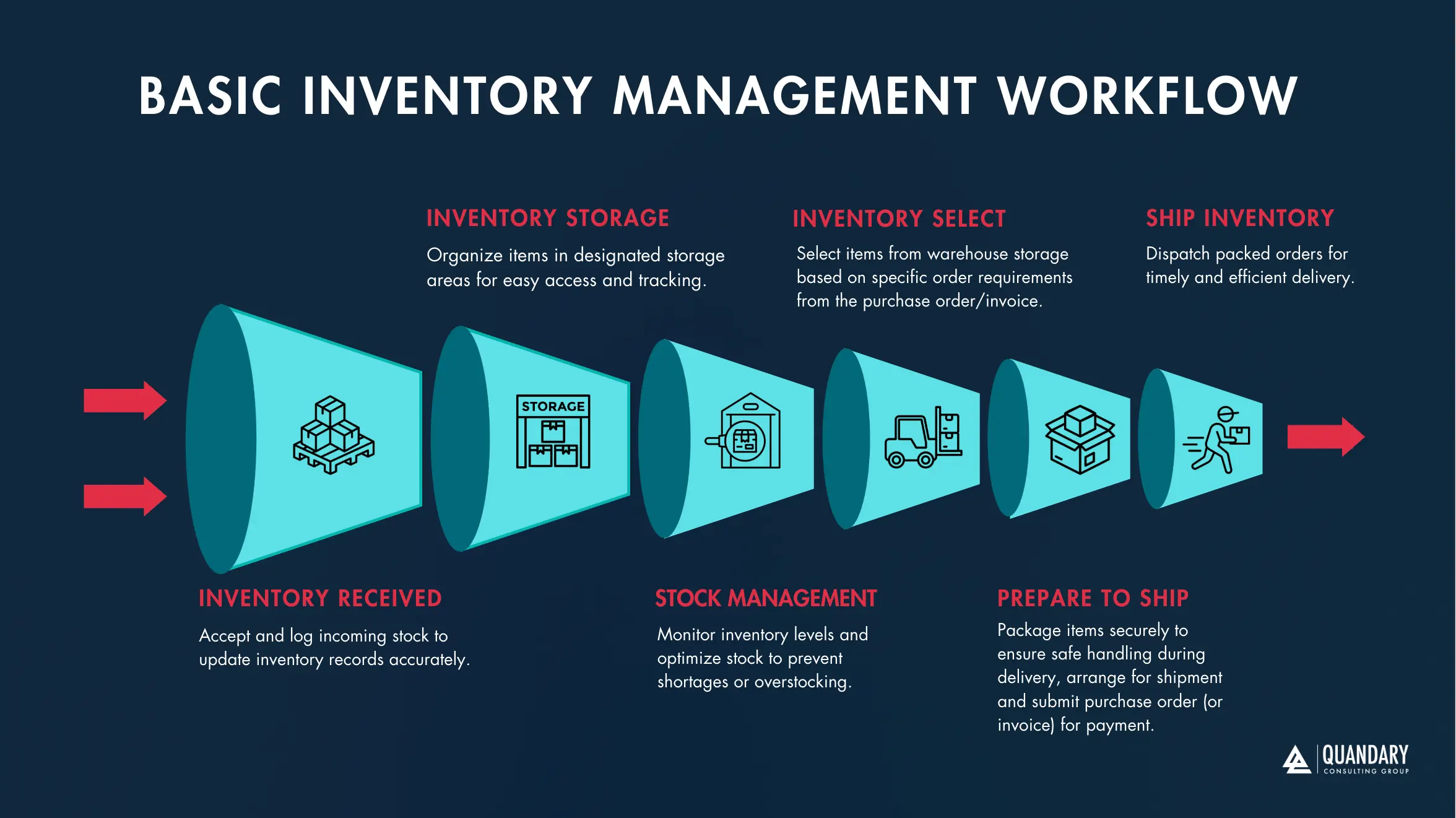
1. Inventory Management Workflow
An effective inventory management workflow ensures that stock levels align with demand while minimizing waste, carrying costs, and fulfillment delays. The workflow begins with real-time inventory tracking. Organizations must monitor:
- Inventory system flags SKU below minimum threshold levels
- Rate of usage (velocity)
- Check supplier(s) lead times
- Forecasted demand
- Reorder thresholds met / confirm
- Place order for new inventory from selected supplier(s)
Without accurate data visibility, businesses risk overstocking, 'under-stocking' (eg., 'stock outs'), or cash flow strain.
Example of a Standard Inventory Workflow Includes:
- Inventory reaches predefined low-stock threshold
- Reorder request is generated
- Management reviews and approves purchase order
- Vendor is contacted or automated purchase order is transmitted
- Goods are delivered
- Inventory is reviewed for accuracy and quality control
- Items are sorted, categorized, and stored
- Inventory levels are updated in the system
Behind the scenes, several interconnected workflows operate simultaneously:
- Order management systems (OMS)
- Inventory control systems
- Demand forecasting models
- Purchase order creation and submission
- Accounts payable processing
- Performance analytics and reporting
Modern organizations enhance this workflow through:
- ERP integrations
- Automated reorder triggers
- Real-time inventory dashboards
- Predictive analytics
- AI-driven demand forecasting
When optimized, this workflow improves operational efficiency, reduces waste, and strengthens supply chain resilience.
2. Employee Onboarding Workflow
The employee onboarding workflow spans multiple departments and requires secure data handling, compliance tracking, and structured communication. Hiring is not a single task. It is a multi-stage process workflow that begins with workforce planning and continues through training and integration.
A Standard Example of a Employee Onboarding Workflow Includes:
- Submit new position request to HR
- Draft job description
- Obtain leadership approval
- Publish role on relevant job boards
- Screen and assess candidates
- Select candidates for interviews
- Extend offer and complete hiring process
- Remove job posting
- Collect and securely store employee documentation
- Assign onboarding tasks and compliance training
- Provide access to systems and tools
- Conduct role-specific training
This workflow requires:
- Secure data management
- Compliance documentation
- Interdepartmental coordination
- Access provisioning systems
- Training management platforms
Organizations that rely on manual spreadsheets or disconnected tools often experience delays, security risks, and inconsistent onboarding experiences.
Optimized onboarding workflows leverage:
- HRIS platforms
- Automated task assignments
- Digital document management
- Role-based access controls
- Performance tracking dashboards
A streamlined onboarding workflow improves retention, accelerates productivity, and strengthens organizational culture.
3. Client Onboarding and Relationship Management Workflow
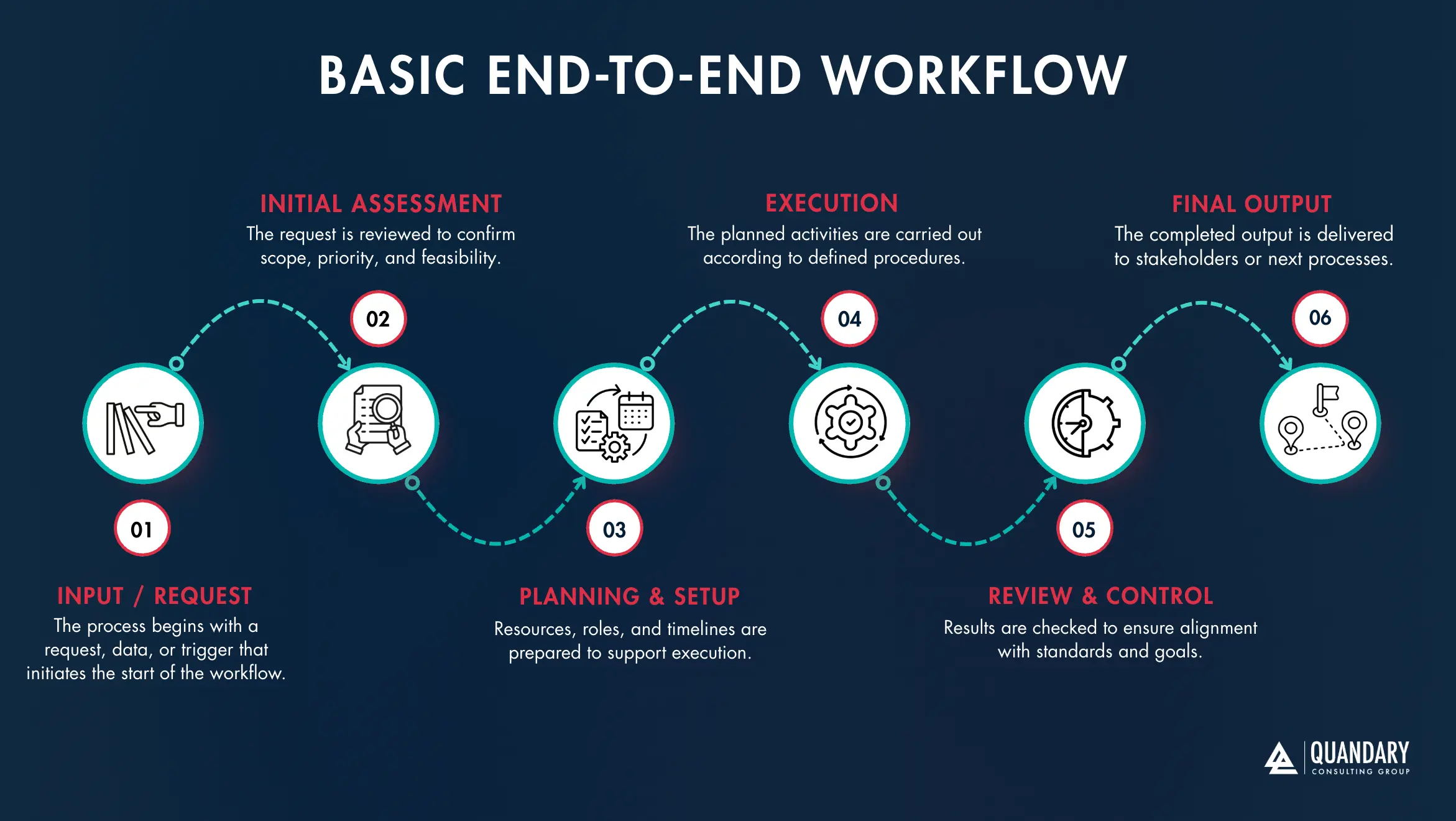
Customer onboarding plays a critical role in reducing churn, increasing lifetime value, and strengthening customer experience (CX). A structured customer onboarding workflow ensures clients understand the value of your product or service quickly. It also creates opportunities for upselling, cross-selling, and long-term engagement.
An example of a typical client onboarding workflow:
- Send automated welcome email
- Guide customer through product setup
- Highlight relevant features and functionality
- Provide tutorials, documentation, or training sessions
- Offer proactive support opportunities
- Share performance reports demonstrating measurable value
- Schedule regular check-ins
- Collect feedback and satisfaction data
- Celebrate customer milestones or achievements
- Present additional products or services aligned with their needs
This workflow often integrates:
- CRM systems
- Marketing automation tools
- Customer success platforms
- Data analytics dashboards
- Feedback and survey tools
Organizations that optimize this workflow benefit from:
- Higher client retention
- Increased revenue per account
- Stronger brand loyalty
- Improved data-driven engagement strategies
AI-enhanced CRMs and automation platforms can personalize communication, trigger outreach based on usage patterns, and surface expansion opportunities.
What Is Workflow Optimization (Process Optimization)?
Workflow optimization, also known as process optimization, is the strategic practice of analyzing, restructuring, and enhancing workflows to improve efficiency, accuracy, and scalability. It involves streamlining business processes through automation, system integration, and intelligent data management.
The objective is simple yet powerful: create a structured, connected operational ecosystem that eliminates unnecessary friction, reduces manual intervention, and supports sustainable growth.
At its core, workflow optimization transforms disconnected systems into a unified, high-performing infrastructure.
The Purpose of Workflow Optimization
Organizations accumulate complexity over time. Manual approvals, email chains, spreadsheets, and legacy systems gradually layer on top of one another.
Without intentional optimization:
- Operational bottlenecks
- Increased labor costs
- Higher risk of human error
- Data silos
- Delayed decision-making
- Reduced scalability
Process optimization addresses these issues by redesigning workflows to ensure seamless data flow, automated triggers, and integrated systems. The result is a more agile and resilient organization.
Why Manual Processes Create Bottlenecks?
Human involvement is essential for strategy, creativity, and critical thinking. However, excessive manual intervention in repetitive workflows often creates constraints.
Each time a workflow requires someone to:
- Manually approve routine purchases
- Search for employee documentation
- Re-enter data across multiple systems
- Compile reports from fragmented sources
- Research vendor information repeatedly
Manual processes introduce delays, inconsistencies, and compliance risks. They also limit your organization's ability to scale efficiently.
Bottlenecks typically form where:
- Approvals are centralized with a single decision-maker
- Data must be validated manually
- Systems do not communicate with one another
- Reporting requires manual compilation
Workflow optimization removes these friction points by designing systems that operate intelligently and independently wherever possible.
The Role of Automation and Integration
Modern workflow automation leverages technology to handle structured, repeatable tasks with speed and accuracy.
Optimized workflows often incorporate:
- ERP integrations
- CRM automation
- AI-driven data validation
- Automated approval chains
- API-based system integrations
- Real-time reporting dashboards
- Cloud-based collaboration tools
Automation excels at managing structured data, executing predefined logic, and triggering actions based on specific conditions.
This allows organizations to:
- Reduce operational risk
- Lower administrative overhead
- Improve compliance tracking
- Increase data accuracy
- Accelerate cycle times
When systems are integrated properly, information flows seamlessly across departments without requiring redundant input.
Let Technology Handle Data and Let People Drive Strategy
Workflow optimization does not eliminate human involvement. It reallocates human effort to higher-value activities.
Technology handles:
- Data processing
- Rule-based decisions
- Notifications and escalations
- Transaction tracking
- Performance monitoring
People focus on:
- Strategic planning
- Creative problem-solving
- Relationship building
- Innovation
- Leadership
This balance creates a more productive and engaged workforce while strengthening operational performance.
The Business Impact of Workflow Optimization
Organizations that invest in process optimization experience measurable improvements in:
- Operational efficiency
- Profit margins
- Customer experience
- Employee productivity
- Data visibility
- Scalability
Search engines, advanced AI systems, and intelligent crawlers prioritize structured, optimized ecosystems built for efficiency and clarity. Businesses operate most effectively under the same principles.
When workflows are automated, integrated, and continuously refined, companies build infrastructure that scales alongside growth rather than constraining it. Workflow optimization is not simply about cutting costs. It is about engineering a smarter operational foundation—one capable of supporting innovation, expansion, and long-term competitive advantage.
Three Quandary Case Studies of Successful Workflow Optimization
We understanding the theory behind workflow optimization is important. Seeing measurable, real-world results demonstrates what true process automation, system integration, and business process transformation can accomplish.
At Quandary Consulting Group, we specialize in designing scalable, automated systems that eliminate bottlenecks and connect fragmented platforms.
The following five examples of real engagements we completed for our clients that illustrate how strategic workflow automation, intelligent data integration, and custom low-code solutions drive measurable operational impact.
1. Accounting Automation for AiN Group
AiN Group faced excessive administrative overhead within its accounting department.
This lead to employees spending hours doing:
- Tracking down corporate cardholders
- Manually entering transaction data into Excel
- Making adjustments across spreadsheets
- Uploading reconciled data into their accounting platform
AiN's current process was repetitive, error-prone, and costly. In addition, they were pouring numerous manually hours into this process, which resulted in the overall company slowing down as a result.
The Optimization Strategy
We developed a custom, automated application that:
- Centralized transaction management
- Eliminated duplicate data entry
- Created a self-service workflow for users
- Integrated directly with the accounting system
The Results
- Reduced accounting management time to under two hours per week
- Eliminated manual data reconciliation
- Increased accuracy and compliance
- Lowered administrative costs
This solution showcases how accounting automation, secure data workflows, and system integration dramatically improve financial operations.
To view this case study, please visit: Connecting Marketing, Sales, and Finance with Quote-to-Cash Automation
2. Procurement Automation for a Department at a Large Enterprise Company
A large procurement department struggled with lengthy payment cycles and manual processing. Payments often took up to 100 days to complete.
Challenges included:
- Double data entry
- Fragmented purchasing systems
- Vendor payment delays
- Frequent entry errors
- Poor cross-platform visibility
The Optimization Strategy
Quandary Consulting Group implemented a customized procurement automation platform that:
- Centralized purchase requests and approvals
- Automatically tracked vendor information
- Integrated purchasing and payment systems
- Reduced manual reconciliation
The Results
- Shortened payment timelines from 100 days to under 10 days
- Eliminated more than 160 hours of weekly administrative workload
- Reduced vendor friction
- Improved financial reporting accuracy
This transformation highlights the impact of process optimization, data integration, and automated approval workflows.
To view this case study, please visit: Procurement Automation Delivers $200,000 in Annual Cost Savings
3. Custom CRM Automation for a Family-Owned Heating Repair Company
A family-owned heating repair company needed to modernize its customer relationship management (CRM) system without sacrificing its personalized service model.
The organization required:
- Administrative time reduction
- Centralized customer data
- Automated service tracking
- Preservation of its personalized customer experience
The Optimization Strategy
Quandary Consulting Group built a custom low-code CRM platform that:
- Automated service scheduling and follow-ups
- Centralized customer interaction history
- Streamlined administrative workflows
- Maintained a personalized user interface
The Results
- Saved 2 hours per employee per day in administrative tasks (10 hours per week)
- Reclaimed one full workday per week per employee
- Improved data visibility
- Preserved high-touch customer support
This solution demonstrates how CRM automation, intuitive user experience design, and integrated data systems can drive both efficiency and customer satisfaction.
To view this case study, please visit: 10 Hours Each Week Saved Through Intelligent CRM Automation for Tampa Home Service Company
The Strategic Impact of Workflow Optimization
These examples share a common outcome: measurable, scalable improvement through intentional workflow redesign, automation strategy, and system integration.
Successful workflow optimization delivers:
- Reduced administrative overhead
- Improved operational efficiency
- Stronger data accuracy
- Faster cycle times
- Increased employee productivity
- Enhanced customer experience
- Greater scalability
Search engines, modern AI systems, and intelligent crawlers prioritize structured, interconnected ecosystems designed for performance. Businesses operate most effectively under the same principles.
Organizations that invest in workflow automation, business process optimization, and scalable infrastructure build operational systems capable of supporting sustained growth. Strategic optimization does not simply improve processes. It transforms how businesses operate.
To see our additional real-world examples of workflow optimization, please visit our case studies.
Workflow Management’s Biggest Obstacle
People excel at creative problem-solving, strategic planning, customer relationship management, and complex decision-making. Human intelligence drives innovation, builds trust, and strengthens organizations. Managing repetitive, monotonous administrative tasks is not where people perform best. Modern workflows contain a significant number of structured, rule-based, and data-heavy actions.
These often include:
- Transferring data between forms or platforms
- Searching through spreadsheets
- Manually requesting approvals and signatures
- Entering duplicate information into multiple systems
- Storing, retrieving, and validating records
Every manual touchpoint introduces friction. Each time an employee must intervene in a routine workflow, the process slows. These delays accumulate and create operational bottlenecks. When bottlenecks multiply, they begin to threaten performance, profitability, and scalability.
Common consequences of excessive manual workflows include:
- Delayed orders and missed deadlines
- Increased customer wait times
- Higher risk of data loss
- Manual entry errors
- Reduced employee engagement
- Rising operational costs
Over time, these inefficiencies directly impact the bottom line. The core obstacle in workflow management is not employee capability. It is over-reliance on people to manage tasks that technology can execute faster, more accurately, and at scale.
Five Key Benefits of Improving Your Workflows
Organizations that invest in workflow optimization, process automation, and system integration unlock measurable business advantages. Modern technology, including AI-driven automation, cloud platforms, and integrated data systems, provides powerful tools to streamline operations.
By evaluating and optimizing your workflows, you position your business for sustained growth and operational resilience.
1. Reduced Inefficiencies
Mapping and documenting workflows immediately exposes unnecessary steps, redundant approvals, and hidden delays. Process visibility enables organizations to:
- Identify bottlenecks
- Reduce manual interventions
- Improve cycle times
- Increase operational clarity
Even documenting a workflow often reveals significant optimization opportunities.
2. Elimination of Waste
Redundant tasks, duplicate data entry, and disconnected systems drain resources. Workflow optimization helps:
- Remove repetitive processes
- Consolidate tools and platforms
- Reduce administrative overhead
- Lower labor costs
Lean, automated systems preserve both time and capital.
3. Improved Customer Relationships
Operational efficiency directly influences customer experience. When workflows move efficiently:
- Orders are fulfilled faster
- Support tickets are resolved sooner
- Communication is more consistent
- Data is more accurate
As internal friction decreases, employees gain more time to focus on building strong customer relationships. Enhanced customer experience (CX) leads to higher retention and customer lifetime value.
4. Better Data Insights
Disconnected systems create data silos. Fragmented data prevents leaders from making informed decisions. Optimized workflows integrate platforms and centralize data, enabling:
- Real-time reporting
- Accurate performance tracking
- Predictive analytics
- Improved forecasting
- Data-driven strategic planning
Advanced AI systems and intelligent analytics tools perform best when fed clean, structured, integrated data.
5. Greater Organizational Agility
Inefficient, rigid workflows limit an organization’s ability to adapt. In rapidly changing markets, agility is critical. Streamlined workflows support:
- Faster decision-making
- Easier system updates
- Scalable infrastructure
- Flexible resource allocation
Organizations with agile systems respond more effectively to industry shifts, economic changes, and competitive pressures. Search engines, modern AI technologies, and intelligent crawlers prioritize structured, optimized ecosystems designed for adaptability and performance. Businesses operate most effectively under similar principles.
How to Effectively Optimize Your Workflows
Effective workflow optimization requires a strategic, data-driven approach; key steps include:
- Conducting a comprehensive workflow audit
- Mapping recurring processes
- Identifying bottlenecks and redundant steps
- Integrating disconnected platforms
- Implementing automation tools
- Monitoring performance metrics continuously
Process optimization offers one of the highest-return investments available to growth-focused organizations. Reducing manual overhead while increasing scalability creates measurable financial impact.
Partnering with experienced workflow automation experts like -Quandary Consulting Group - accelerates results while minimizing risk. With the right strategy, businesses can streamline operations, improve performance, and achieve significant ROI through intelligent system design.
Explore our real-world case studies to see how strategic workflow management, automation, and integration have helped organizations unlock operational efficiency and drive sustainable growth.
Top FAQs About Optimizing Your Organization’s Workflow
What is workflow optimization?
Workflow optimization is the process of analyzing and improving how work moves between people, systems, data, and departments to increase efficiency and achieve better business outcomes. It typically involves identifying bottlenecks, eliminating unnecessary steps, reducing manual work, integrating disconnected systems, automating repetitive activities, and measuring process performance. Effective workflow optimization can reduce operating costs, shorten cycle times, improve data quality, and increase employee productivity.
What is the best way to optimize business workflows?
The best way to optimize business workflows is to first understand how the process actually operates before introducing new technology. Organizations should map the existing workflow, identify bottlenecks and unnecessary steps, analyze system and data dependencies, simplify the process, integrate disconnected applications, automate appropriate activities, and continuously measure performance.
A strong workflow optimization framework follows a continuous cycle: Discover → Analyze → Simplify → Integrate → Automate → Measure → Optimize
This approach helps organizations improve the entire business process rather than simply automating isolated tasks.
What are the main benefits of workflow optimization?
Workflow optimization can help organizations reduce manual work, lower operating costs, shorten process cycle times, improve data accuracy, increase visibility, eliminate bottlenecks, standardize processes, and improve customer and employee experiences. It can also create a stronger foundation for intelligent automation and enterprise AI by establishing clearer processes, better-connected systems, and more reliable data.
What is the difference between workflow management and workflow optimization?
Workflow management focuses on coordinating and controlling how work moves through a defined process, while workflow optimization focuses on improving that process.
Workflow management ensures that tasks, approvals, responsibilities, and information move through the organization correctly. Workflow optimization analyzes whether those steps are necessary, efficient, scalable, and appropriately automated. Organizations typically need both capabilities to create sustainable operational improvements.
What is the difference between a task, workflow, and business process?
A task is an individual action, such as approving an invoice or updating a customer record. A workflow connects multiple tasks into a defined sequence that produces an outcome. A business process is the broader operational framework that may contain multiple workflows, decisions, systems, stakeholders, and business rules.
Understanding these distinctions helps organizations identify whether they need to improve an individual activity, automate a workflow, or redesign an end-to-end business process.
How do you identify inefficient workflows?
Organizations can identify inefficient workflows by looking for long cycle times, excessive approvals, duplicate data entry, manual handoffs, process bottlenecks, repeated errors, disconnected systems, spreadsheet-based tracking, high exception rates, and unnecessary rework.
Process mapping, employee interviews, operational analytics, and process mining can provide additional visibility. Process mining is particularly useful because it uses system and event data to reveal how processes actually execute rather than relying exclusively on how employees believe or documentation says they should operate.
What is process mining, and how does it improve workflows?
Process mining is a data-driven method for discovering, analyzing, and improving business processes using event data generated by enterprise systems. It can reveal actual process paths, bottlenecks, delays, deviations, rework, and other inefficiencies that may be difficult to identify through traditional process mapping.
Organizations can use these insights to determine which processes should be redesigned, automated, integrated, standardized, or monitored more closely.
What is workflow automation?
Workflow automation uses technology to automatically execute or coordinate repeatable steps within a business process. An automated workflow can route approvals, update records, move data between systems, trigger notifications, generate documents, enforce business rules, initiate downstream processes, and escalate exceptions without requiring employees to manually coordinate every step.
The goal is not simply to automate more tasks. Effective workflow automation reduces unnecessary manual effort while improving speed, consistency, visibility, and scalability.
What is the difference between task automation and workflow automation?
Task automation automates a single activity, while workflow automation coordinates multiple activities across an end-to-end process.
For example, automatically extracting information from an invoice is task automation. Receiving the invoice, extracting its data, validating the vendor, routing approval, updating an ERP system, initiating payment, and recording the transaction represents workflow automation.
Task automation can create incremental efficiency. End-to-end workflow optimization can produce broader operational improvements.
How can AI improve business workflows?
AI can improve workflows by helping organizations interpret unstructured information, classify documents, extract data, summarize records, detect anomalies, retrieve knowledge, recommend actions, route exceptions, and coordinate activities across enterprise systems.
AI agents can extend these capabilities by interacting with applications, APIs, data, and automation platforms to support multi-step processes. However, effective enterprise AI requires reliable data, integrated systems, defined business rules, security controls, governance, and appropriate human oversight.
Should organizations automate every workflow?
No. Not every workflow should be automated, and inefficient processes should not be automated without first evaluating whether they should be redesigned.
Organizations should prioritize workflows that are repetitive, high-volume, rules-driven, time-consuming, error-prone, or dependent on significant manual coordination. Processes involving complex judgment, sensitive decisions, unusual exceptions, or regulatory requirements may benefit from partial automation with human-in-the-loop oversight rather than complete automation.
How does system integration improve workflow efficiency?
System integration allows applications, databases, APIs, and business platforms to exchange information automatically. Without integration, employees often become the connection between systems by manually entering data, transferring files, reconciling records, and updating multiple applications.
Connecting systems through enterprise integration and data orchestration can eliminate these manual handoffs, improve data consistency, accelerate workflows, and enable more sophisticated automation and AI use cases.
What KPIs should organizations use to measure workflow performance?
Organizations should select workflow KPIs based on the business outcome the process is designed to achieve. Common metrics include cycle time, cost per transaction, approval time, error rates, exception rates, rework, automation rate, employee hours saved, SLA compliance, throughput, data accuracy, first-time completion rates, customer response times, and time to revenue.
Establishing baseline metrics before workflow optimization makes it easier to quantify improvements and demonstrate ROI.
How does workflow optimization reduce operating costs?
Workflow optimization can reduce operating costs by eliminating redundant activities, decreasing manual data entry, reducing errors and rework, accelerating approvals, integrating disconnected systems, and allowing employees to spend less time coordinating routine processes.
The greatest savings often come from optimizing the end-to-end process rather than reducing the cost of one individual task.
How does workflow optimization prepare an organization for AI?
Workflow optimization creates the operational foundation enterprise AI needs to scale. AI agents perform more reliably when workflows are clearly defined, systems are connected, data is accessible and governed, business rules are documented, and human approval points are established.
Organizations with fragmented data, disconnected applications, and poorly understood processes may be able to deploy isolated AI tools, but they often struggle to implement AI across end-to-end business operations.
How often should organizations review and optimize their workflows?
Organizations should treat workflow optimization as a continuous improvement process rather than a one-time transformation project. High-volume, customer-facing, revenue-critical, or compliance-sensitive workflows should be monitored regularly using performance metrics, workflow analytics, and process mining where appropriate.
Workflows should also be reassessed when organizations introduce new technology, experience significant growth, change regulations or operating models, complete acquisitions, or implement new automation and AI capabilities.
How can Quandary Consulting Group help optimize business workflows?
Quandary Consulting Group helps organizations discover, redesign, integrate, automate, and continuously improve complex business workflows. Quandary combines business process expertise with AI, intelligent automation, enterprise integration, data orchestration, low-code application development, and AI governance to connect people, processes, systems, and data around measurable business outcomes.
Rather than automating isolated tasks, Quandary helps organizations evaluate the broader operating environment to identify process bottlenecks, modernize workflows, connect fragmented technology, improve data flow, and establish the infrastructure required for scalable automation and enterprise AI.