Citizen Development
How to Maximize Time to Value within the Construction Industry


While the construction industry has always struggled to meet project deadlines and improve efficiency, adoption rates for digital solutions to manual processes have grown. But it’s not a straightforward or easy decision.
With all the applications and solutions available to improve project management, teams struggle to onboard and effectively use tech without weighing down teams with more work. Meanwhile, people are hopeful about tech but hesitant due to the onboarding and training involved with new tools.
For firms to successfully deliver projects on time and within budget, they must navigate process optimization with a tech stack that reduces gray work while moving teams away from manual processes and spreadsheets.
This article will show how we’ve helped construction companies improve adoption rates, automate workflows, and drastically reduce manual work with Quickbase. And we’ll walk you through a real-world case study (with an example of the application at the end).
What Is Gray Work in Construction?
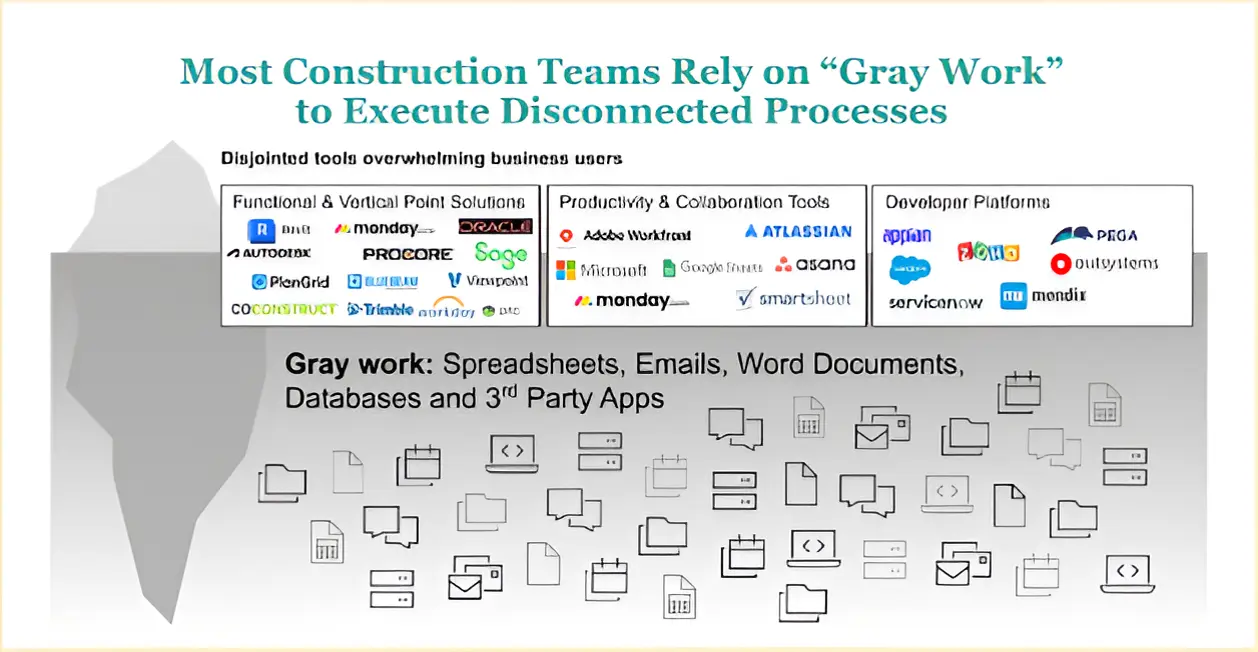
A very common phenomenon in today's business landscape is this notion of gray work. Gray work is work that teams perform using ad hoc technical solutions to make do when your technology doesn't work for you.
Your department uses tools to perform vital job functions. They don't integrate well with one another. Or, they don't produce quite the right reports you need. So, you build those capabilities yourself.
What tools would you use for this?
Teams tend to use whatever tools are available to them. For example, Joan from accounting is an Excel whiz at Excel. This leads her to use Excel to manage tasks.
This quickly spirals. Soon, you have a department full of functions with some expensive software tools and numerous Excel spreadsheets that glue together and extract data in the form that’s needed.
Your team may even email spreadsheets back and forth to share data, opening the door to other risks.
You are making do in this situation.
People would be shocked to see just how much of today's commerce relies on spreadsheets to function. Organizations, small and large.
Spreadsheets are affordable, have a low barrier to entry, are easy to use, are ubiquitous, and use a metaphor (tables with rows and columns) that's very, very intuitive.
It’s not just spreadsheets. Numerous businesses run on Word documents, databases, third-party apps, random platforms, and specialized tools—all glued together while the team manually performs operations.
This is gray work.
Gray work is often ungoverned, arbitrary, unorganized, and unplanned. It’s outside of the realm of IT. It's gray. It leads to a very disconnected experience for business users.
At Quandary, we see this impacting business users or business units within larger organizations where there is a disconnect in priority, understanding, or budget between business and IT. We also see it in small organizations or where there's a very small IT budget.
Gray work is everywhere. And it impacts the construction industry no differently than many other organizations.
The Cost of Gray Work in Construction
Gray work is expensive.
In a recent study by Quickbase, 67% of teams spend 10 - 20 hours per week chasing data across disparate systems. That's 25% - 50% of the respondents’ time (time they’re not using to address key business needs). And 37% of construction industry respondents believe their software solutions don’t impact productivity.
It’s not surprising, though. The pain is real. And simple solutions (like spreadsheets) have a very fast return on investment.
Roadblocks Facing Digital Transformation in Construction
Only 8.5% of construction projects are completed on time and within budget. And 40% of contractors say it’s difficult to find time to implement and train teams on new technologies.
At the same time, 82% of the AEC companies plan to invest the same or more in technology. Given the glut of gray work and the inefficiency of disconnected tools, scaling technology spending won’t necessarily scale productivity until teams address the underlying issues.
Robert Salaj, Director from Quickbase and NoCode Mentor for Construction, points out that “The worst case scenario is that you buy a lot of software off the shelf that doesn't suit your process. You're creating a brand new process. And you're going to have to train on your team as well.”
He notes that by using a custom application development platform like Quickbase, teams can design applications that fit the exact needs of teams (instead of trying to force an out-of-box solution into a unique workflow that inevitably results in gray work to fill the gaps).
Increasing Complexity of Construction Projects
Salaj notes that construction projects are growing increasingly complex. That complexity leads to the need for more systems to manage new workflows, resulting in exponentially more data points to examine.
With too many disconnected tools, you isolate your data. This breaks down your view on a project, and people have to work harder (via gray work) to fill those gaps and keep that information flowing between systems.
To keep this from happening, you need the right tools to move data between systems and powerful dashboards that display the right information for the right team members. From project managers to foremen to logistics, your teams need accessible, real-time insights to drive action.
How Quickbase Drives Transformation in Construction
Quickbase is a relational database at its core. It is a low-code, no-code software that allows you to take your process map and create forms, fields, databases, and relationships that bring processes together.
You can build dashboards on top of those workflows that make data accessible to different teams. You can also build in mobile functionality so your field services and on-site teams can access applications with or without an internet connection (critical for adoption and effective use of new tools without adding to gray work).
With a platform like Quickbase, you can move away from using spreadsheets, word docs, and ad hoc tools to manage processes. Instead, you can build workflow after workflow, tool after tool, within the Quickbase environment. This allows you to connect processes, clean up data, reduce errors, and eliminate gray work.
Automating Complex Construction Project Management Across 3,000 Locations with Quickbase
Quandary combines its understanding of Quickbase with experience in the construction space to craft applications that eliminate gray work and improve operations for construction firms.
This is a real client example showing how Quickbase eliminated 1000s of hours in gray work, improved trust with accurate data, and streamlined project completion.
Project Milestones and Documentation
Our client was a leading fast-food chain in the United States. They have over 3,000 locations nationwide. And they were rolling out a massive construction project for all their restaurant locations.
Construction is never easy, never straightforward. This was a mammoth undertaking between resource utilization, construction, managing different entities, GCs, etc.
The leadership team knew that some projects took a while to complete. But they had no idea as to the specific reasons why. They were using spreadsheets to manage dates and milestones.
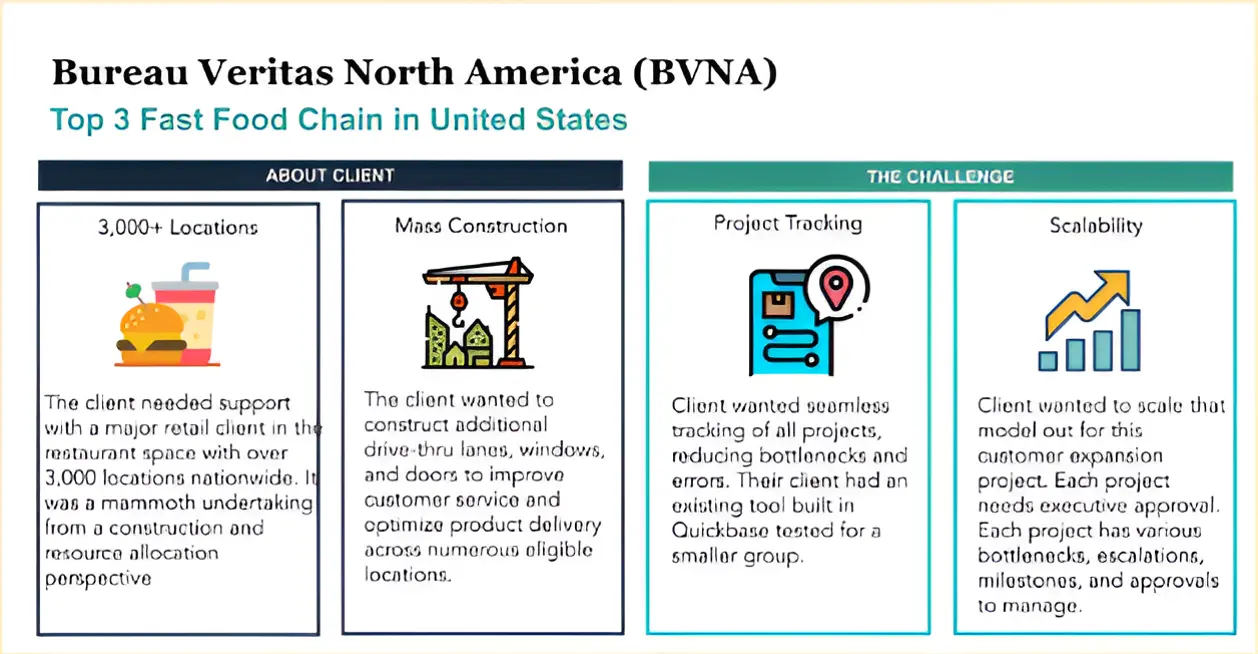
The point of failure happened when a team member forgot to update an Excel file with the proper date. This damaged the credibility of the data.
There was also a lack of coordination with effectively closing the restaurant at the right time to undertake specific construction projects. As projects took longer than predicted, the loss of sales negatively impacted margins more than was necessary to complete the work.
We ran a deep discovery with the client to map out the whole process and define the optimal workflow. Using the data gathered during that process, we created an app that allowed users to easily enter project data while giving the executive team programmatic summaries.
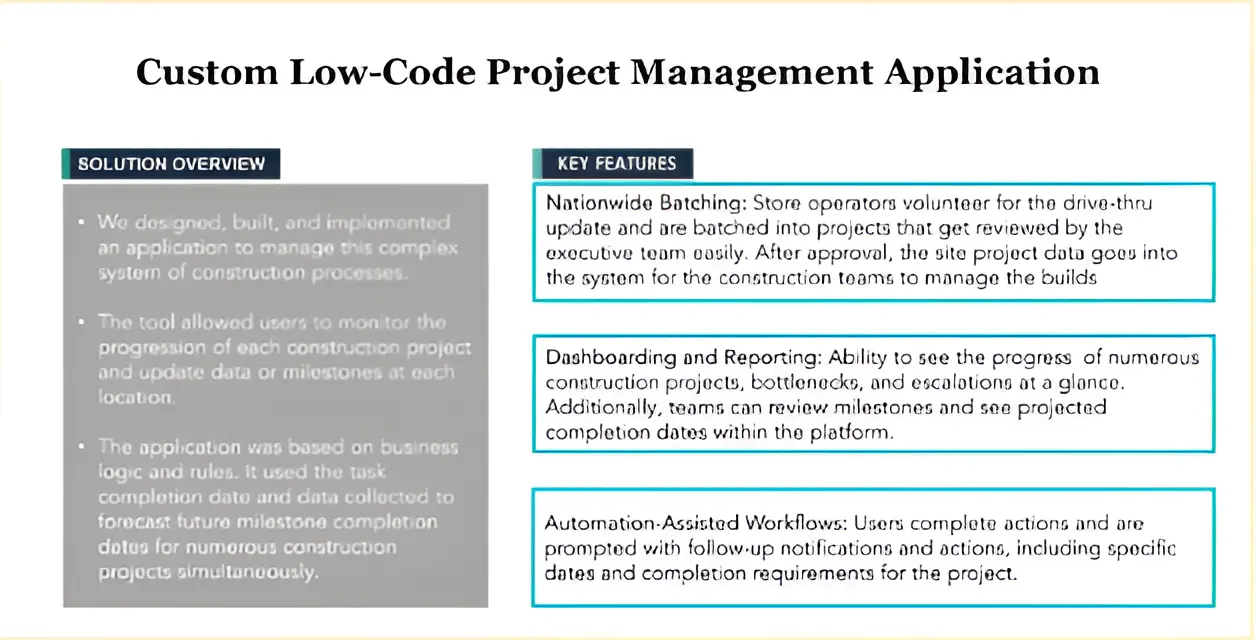
We rapidly built a custom application with a hypercomplex system of sophisticated logic and systems that enabled an automated workflow.
With any construction project, there are overarching projects and milestones that project teams need to reach. We can see an example of some milestones here:
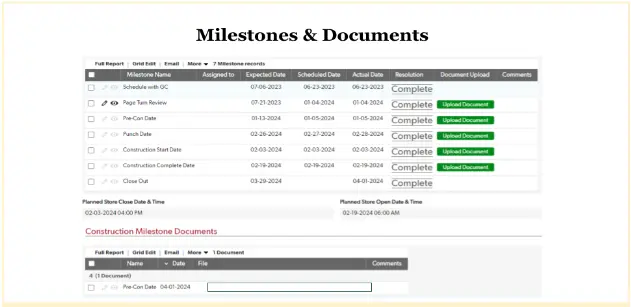
Every milestone belongs to a phase. A project might have several phases: survey, design, permitting, etc., on the way to completion.
Using Quickbase and details from our discovery, we built out this sophisticated hierarchy of milestones in the correct sequence for the project.
This is where all the magic happens: accurate, enabled reporting.
Instead of people inputting project data into spreadsheets (where it is very easy to enter data erroneously), teams could enter data into the application. The application would use that data to automatically estimate and track project timelines.
As a result, the teams stayed informed across the entire nationwide project while minimizing errors through automation instead of relying on spreadsheets to manage projects.
Note: The schedule above was populated directly with the application. There was no human input necessary, keeping team members honest and dates accurate.
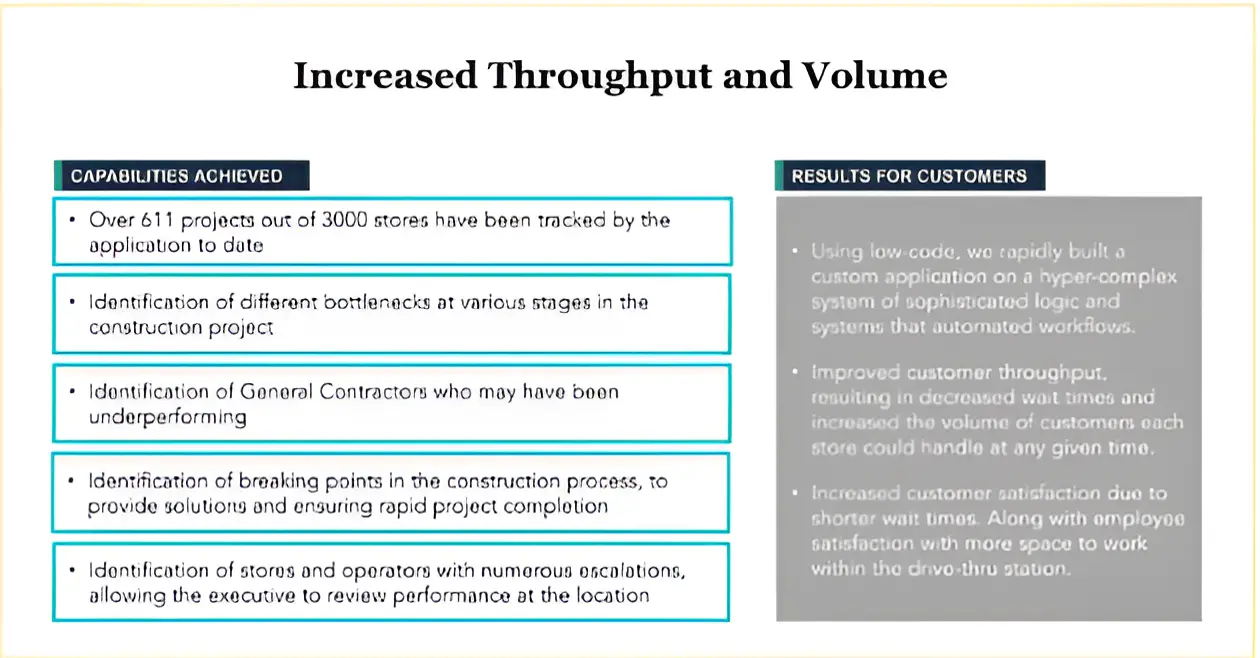
This helped the organization hold contractors accountable for projects while giving teams better clarity into roadblocks.
We also worked with the client to map out the expected durations for each milestone. When a project deviated from that milestone, the application adjusted the forecasted completion date.
The application also allows contractors to upload documents (design packets, construction drawings, images, etc.). It also stores these documents in a repository, making it easy for teams to see the progress of the project and the roadblocks.
Daily Reports for General Contractors
During the project, we worked closely with numerous groups (architects, project managers, franchisee owners of the restaurants, general contractors, etc.). Our team noticed that it was challenging to hold individuals accountable due to all the different phases of a project.
To solve this problem, we built a daily report for general contractors. This kept them accountable for providing a way to share consistent updates in the form of photos, messages, and ad hoc line items in the report.
All within Quickbase.
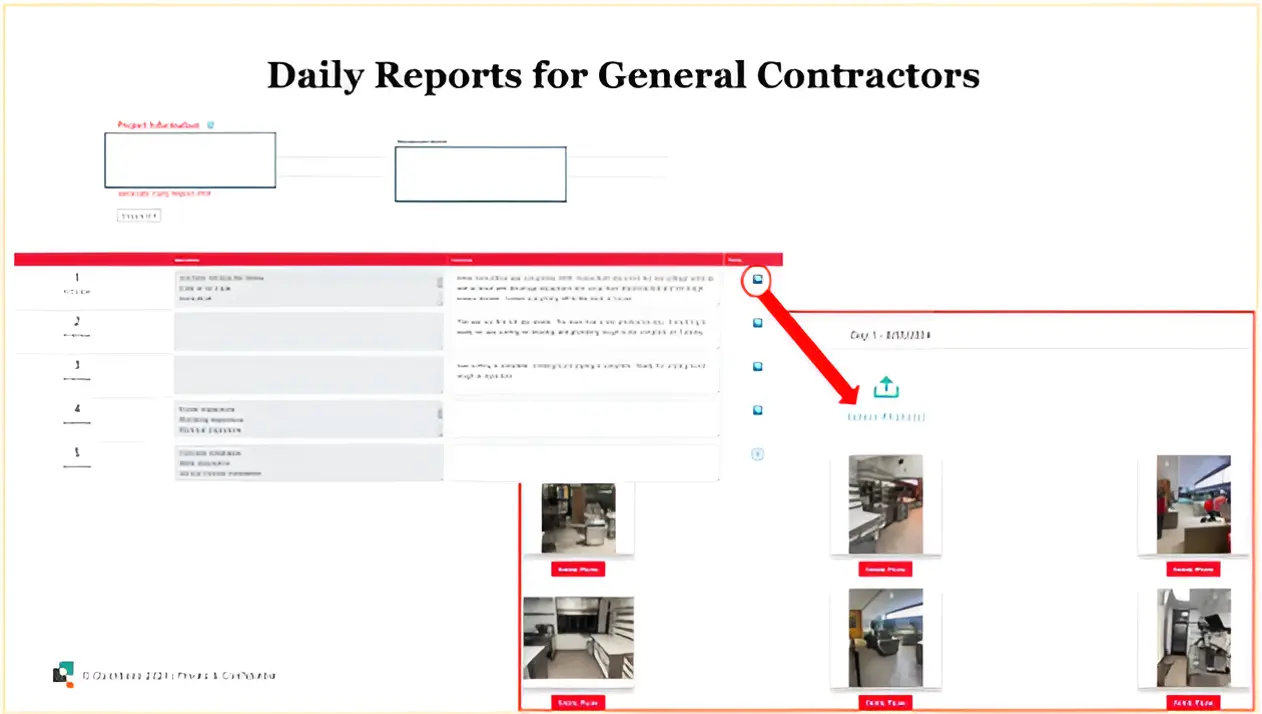
This is a code page we've built. You can see the dates with forms for providing details and additional assets. The user can expand, add a series of photos, and manipulate them directly within the code page. Users can also generate a PDF within the application to create more shareable assets.
In short, the application integrates different software and collects them directly within Quickbase. This reduces the points of failure, removing the need to move data between software solutions.
Trend Spiking Reporting
Our client’s executives had very little insight into project progress, estimated timelines, or reasons for slowdowns. To fix this, we worked with the client to identify the six key components that mattered most for tracking.
These points were significant gates to the process.
Additionally, we established a rolling, four-week or five-week period that allowed executives to get a general idea of project performance at a glance. This week-by-week snapshot helped them quickly identify issues, resulting in quick remediation.
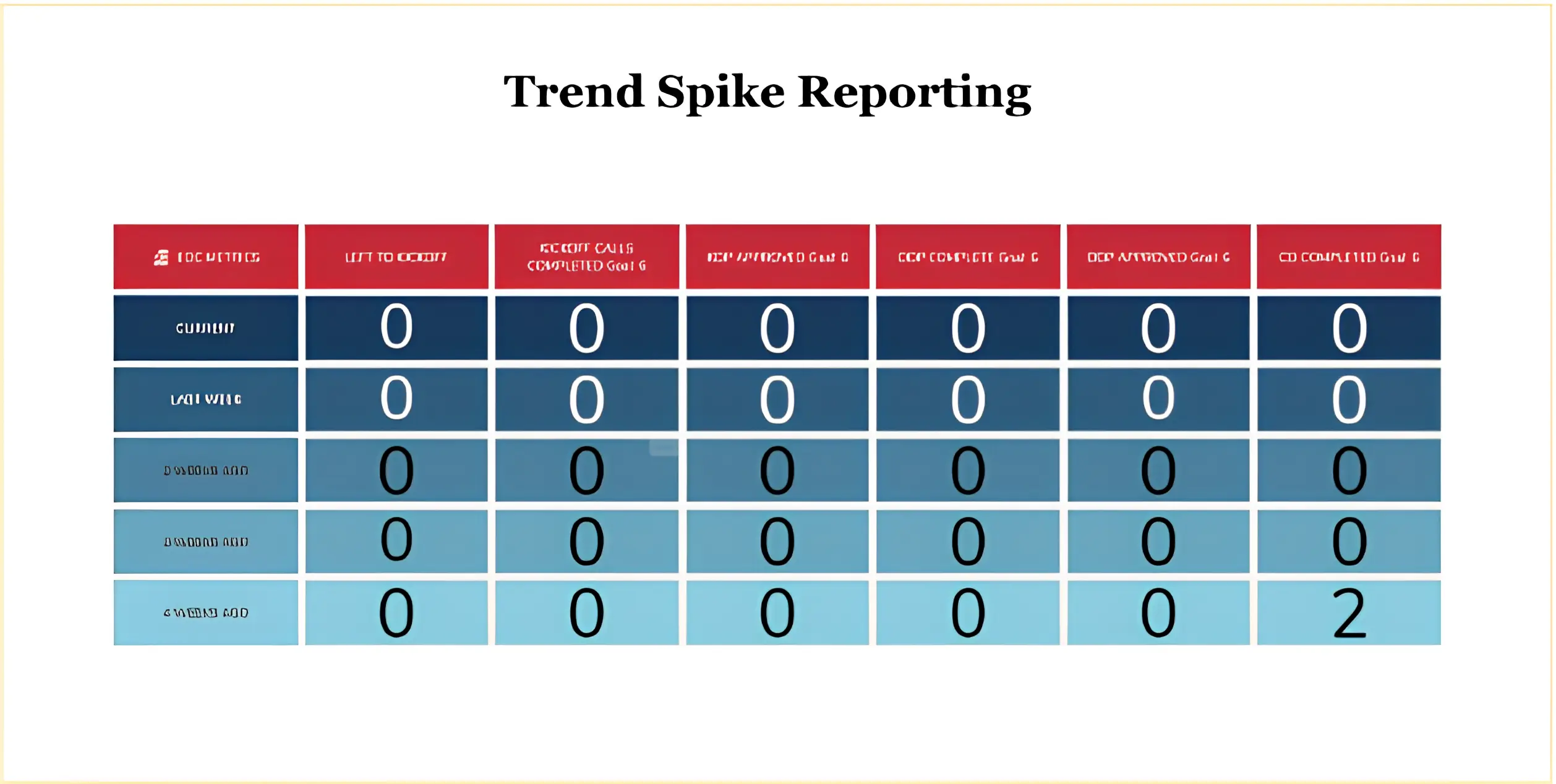
Note: The zeros are for confidentiality purposes. To date, this application has managed over 600 projects, stores, and restaurants out of 3,000.
Financial Forecasting
We wanted to help our client predict spending. Specifically, we wanted them to see how much spend is being actualized, where it's going, who accounts for that spent, where in the pipeline (from a project schedule perspective) it is, etc.
Working with the client, we mapped out expenses for each project. Every project has a certain cost depending on the category, who’s doing the work, and the type of project. We also added the ability to customize spend, giving them more flexibility with each project.
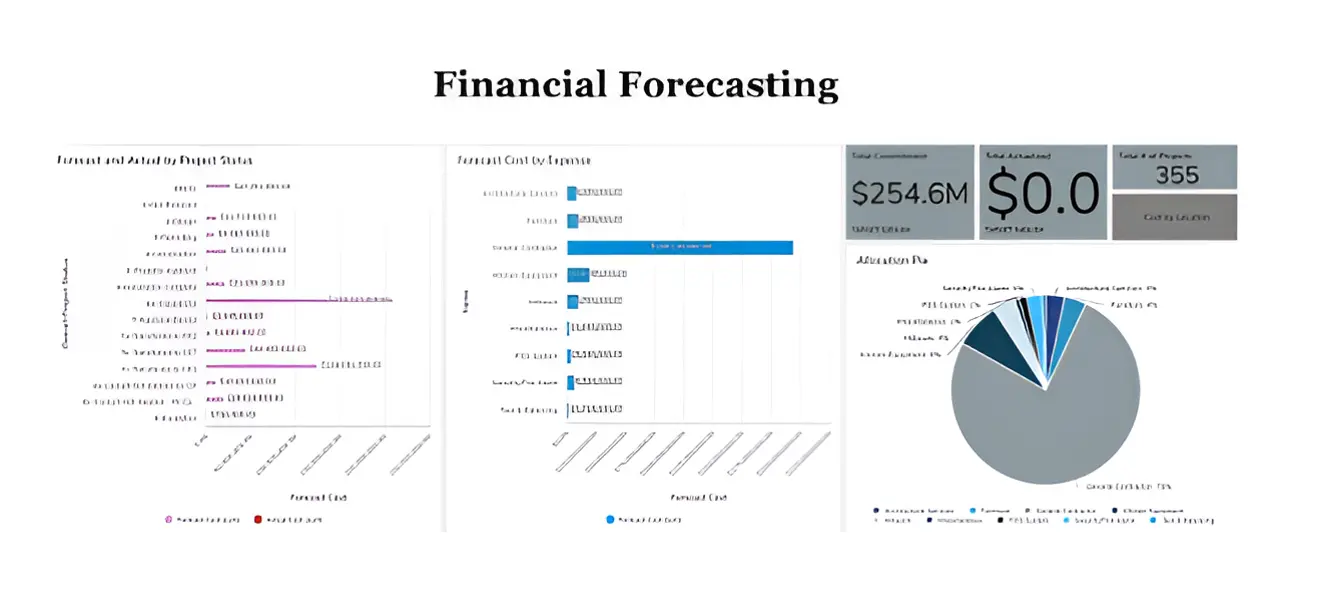
The application did not lock them into specific categories. However, we imputed roughly 90% of the spend categories at the start to save their team the burden of entering them manually. As they started each new project, the application automatically entered in those expenses.
The dashboard provides clear insights into the budget and how teams spend that money.
Punch List
The punch list is a common part of construction and field services management. As such, the application spins up a template when a team creates a project (all within Quickbase).
The user navigates from the project to this punch list page, where they can easily fill out the punch card. In the example below, you can see how the punch list groups items based on the part of the restaurant (for example, front service counter, kitchen, bathroom, etc.), speeding up the process and reducing errors.
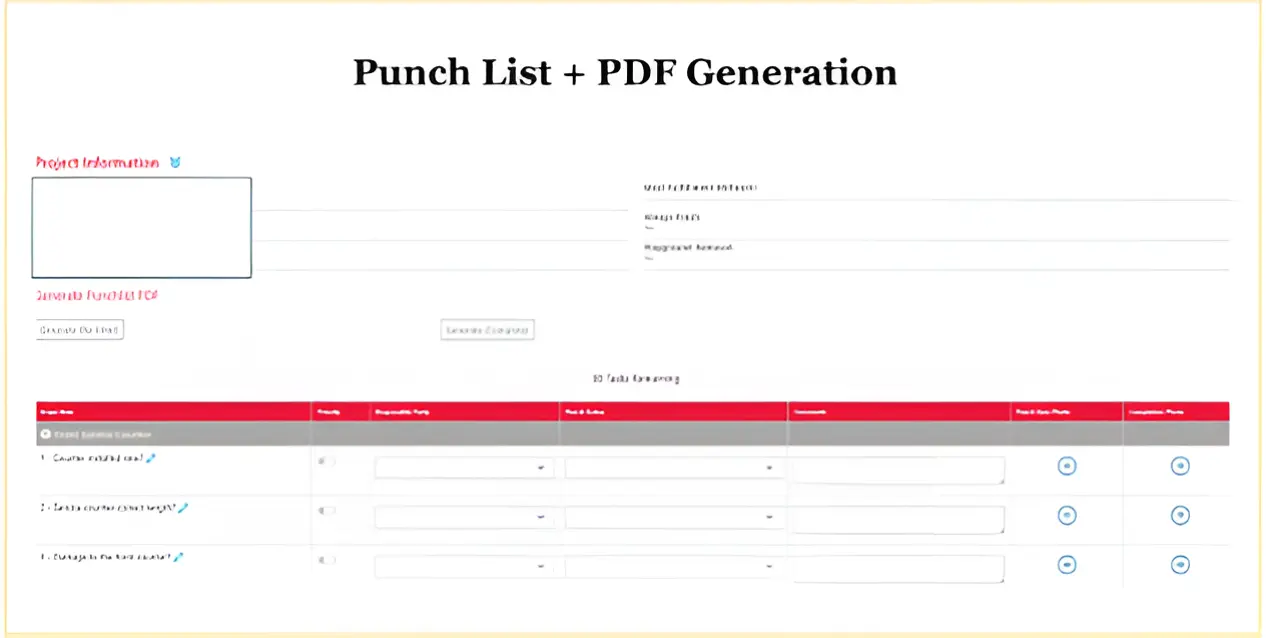
To create this punch list, we worked with the client to make a checklist that would support the flow of the project.
The application also allows users to add ad hoc items (similar to the daily report above), adding an element of customization to each punch list. For example, if a front service counter needed additional work, a contractor could add the item under a specific category.
Every construction project is different. For any application to be effective, it needs to account for and adjust to that level of customization.
Users can also add photos to highlight bottlenecks or prove the completion of projects. This adds an element of task delegation as well (figuring out who is responsible for what). And users could generate PDFs within the application to share data without leaving the Quickbase application.
All these features took the guesswork out of project management. No one was left guessing whether or not a project was finished.
Permitting
There are a lot of hoops teams have to jump through with projects. Navigating red lines, for example, can waste a lot of time as teams often go back and forth to get approvals.
When creating a project, users can customize the necessary permits. The application does not assume users need permits for projects. Instead, they tick boxes depending on permit needs, and Quickbase sets milestones for those projects.
This feature does not only apply to project start-up. Users can return to open projects and add permitting as needed.
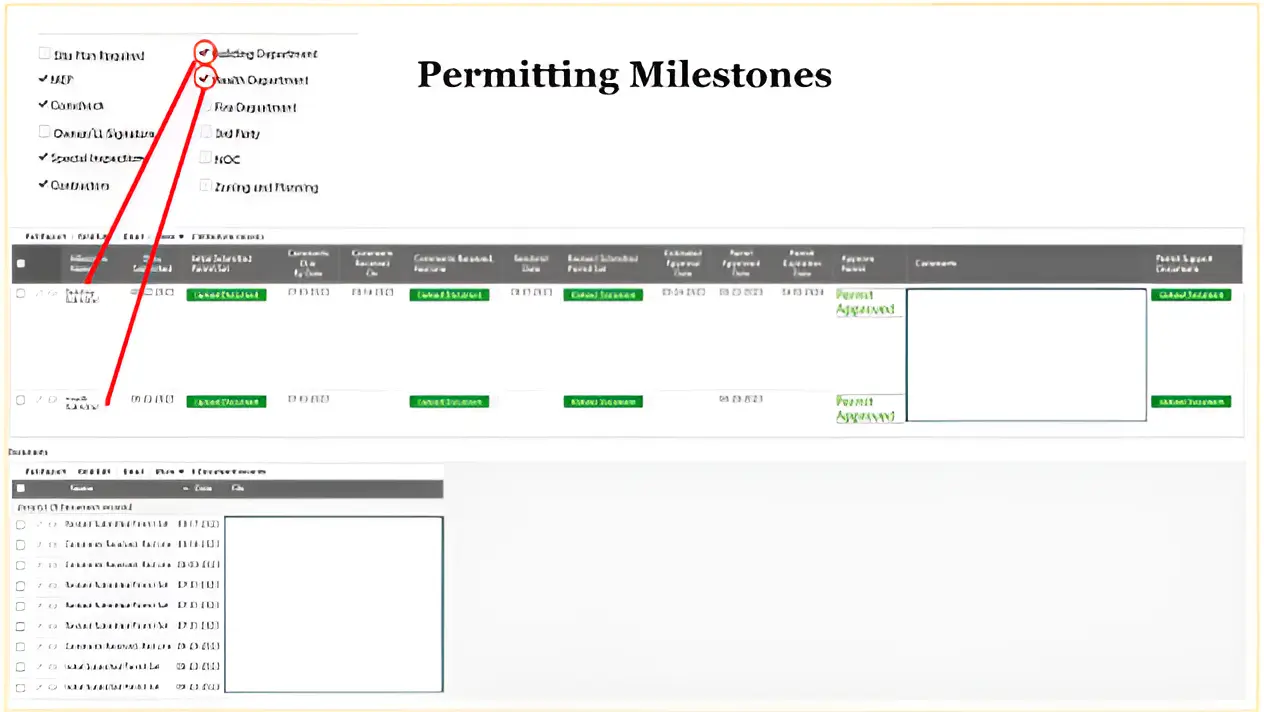
The application also collects the necessary documents. The green buttons (in the image above) prompt users to upload documents. Quickbase moves the data between systems behind the scenes automatically, categorizing the data into the table above. For the user, the experience is very similar to uploading a document like you would in any application.
Future Roadmap for Construction Project Optimization
At this point in the project, the complexity of the workflows has expanded. It is no longer linear as we add more systems and workflows to the application.
For example, several sub-milestones need to happen within a project before the permitting process reaches completion. Quickbase continues to shine within these flows, connecting these dynamic systems and providing clear reporting for team members to accurately track project progress.
As the application continues to grow in complexity, we will work with the team to ensure the tool meets the needs of the organization while reducing instances of gray work in the process.
While construction firms vary in type and size (from HVAC or Roofing or Electrical to Complex Industrial Projects), the approach is the same. Evaluate the business. Identify the root cause. Build a solution that optimizes the workflow by providing accurate data and minimizes gray work.
You can learn more about our exact process, the challenges, the solution we build, additional features, and the results in our case study here.