Automation
How to Automate Your Business Processes: 12 Strategic Steps to Help You Define Workflow


TL;DR
- Purchasing automation connects the entire procure-to-pay process, including purchase requisitions, approval workflows, purchase orders, supplier data, invoices, and financial systems. By reducing manual handoffs and repetitive data entry, organizations can shorten purchasing cycles, improve data accuracy, increase spend visibility, and reduce costly errors and processing delays.
- Organizations can automate purchasing workflows without replacing their existing technology stack. Low-code applications, workflow automation, APIs, and integration platforms can connect ERP, procurement, accounting, supplier, and document management systems, allowing information to move securely between applications while maintaining established systems of record.
- Greater visibility and standardized purchasing controls help organizations manage spend more effectively. Automated approval rules, purchasing thresholds, supplier requirements, audit trails, and real-time reporting can reduce maverick spending, strengthen procurement governance, and give finance and procurement teams earlier insight into purchasing activity.
- The most effective purchasing automation strategies start with a specific, measurable bottleneck. Organizations can begin with a high-volume or error-prone process, establish clear business rules and human oversight, and measure results through KPIs such as requisition-to-approval time, purchase order cycle time, invoice exception rates, managed spend, processing costs, and administrative hours saved.
- Connected procurement data also creates a stronger foundation for AI and AI agents. When purchasing information is accurate, structured, governed, and accessible across systems, AI can support supplier analysis, exception detection, spend intelligence, document processing, purchasing recommendations, and increasingly autonomous workflows while keeping employees involved in decisions that require judgment or approval.
Every business depends on workflows. Customer onboarding, invoice approvals, employee onboarding, procurement, supply chain coordination, and customer support all rely on connected tasks, decisions, people, and systems.
As a company grows, those workflows often become more complex. Manual handoffs, spreadsheets, email approvals, and duplicate data entry may work at a smaller scale, but they eventually create bottlenecks that slow growth.
Some common warning signs include:
- Rising administrative costs
- Slow response and turnaround times
- Repeated data-entry errors
- Limited visibility into work in progress
- Missed approvals or follow-ups
- Difficulty scaling without adding headcount
Workflow automation helps solve these problems by moving routine work forward automatically. But successful automation takes more than purchasing software. It requires a clear understanding of the process, measurable goals, the right platform, and a plan for continuous improvement.
This guide explains what workflow automation is, where it delivers value, and how to automate workflows in 12 practical steps.
What Is Workflow Automation?
Workflow automation is the use of technology to complete, route, and track tasks with minimal manual intervention.
An automated workflow follows predefined rules to move information or work from one step to the next. Most automated workflows include three core elements:
- Trigger: The event that starts the workflow, such as a submitted form, new sales lead, approved request, or scheduled date.
- Conditions: The rules that determine what should happen next, such as routing a request based on value, location, urgency, or department.
- Actions: The tasks the system completes, such as updating a record, assigning an owner, generating a document, requesting approval, or sending a notification.
For example, when a prospective customer submits a form, an automated workflow can create a CRM record, assign the lead to the appropriate salesperson, send a confirmation email, and schedule a follow-up task—all without manual data entry.
What Technologies Support Workflow Automation?
Organizations can automate workflows with several types of technology:
- Low-code and no-code platforms for building custom applications and workflows visually
- Integration platforms as a service (iPaaS) for connecting data and actions across applications
- Robotic process automation (RPA) for completing repetitive, rules-based tasks in user interfaces
- Business process management (BPM) tools for designing and governing complex processes
- Artificial intelligence for document extraction, classification, recommendations, and decision support
- Event-driven automation for launching actions when a specific system event occurs
Platforms such as Quickbase, Zoho, OutSystems, Workato, Microsoft Power Automate, and Smartsheet support different automation needs. The best choice depends on process complexity, integrations, security requirements, governance, budget, and internal technical resources.
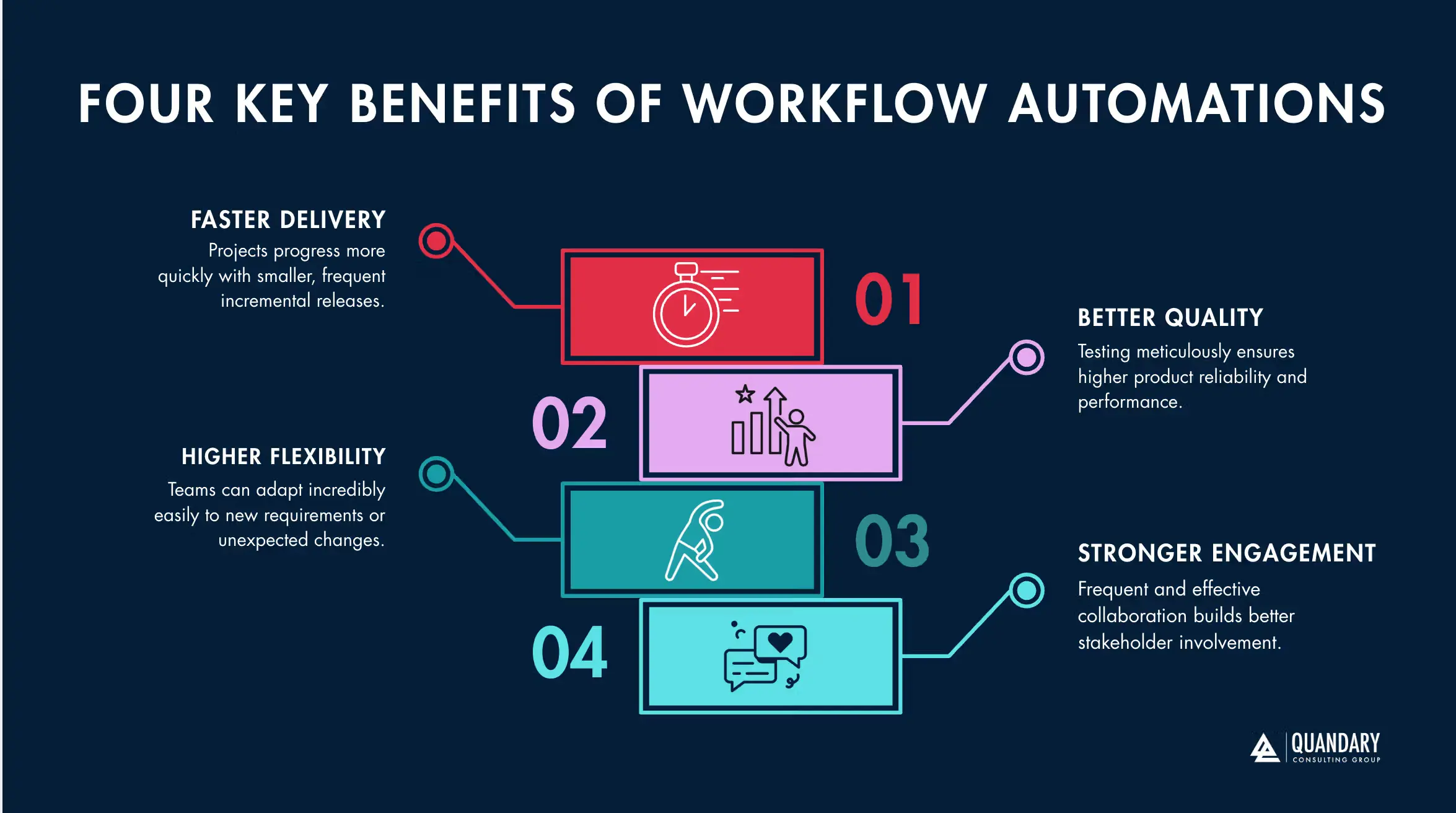
Key Benefits of Workflow Automation
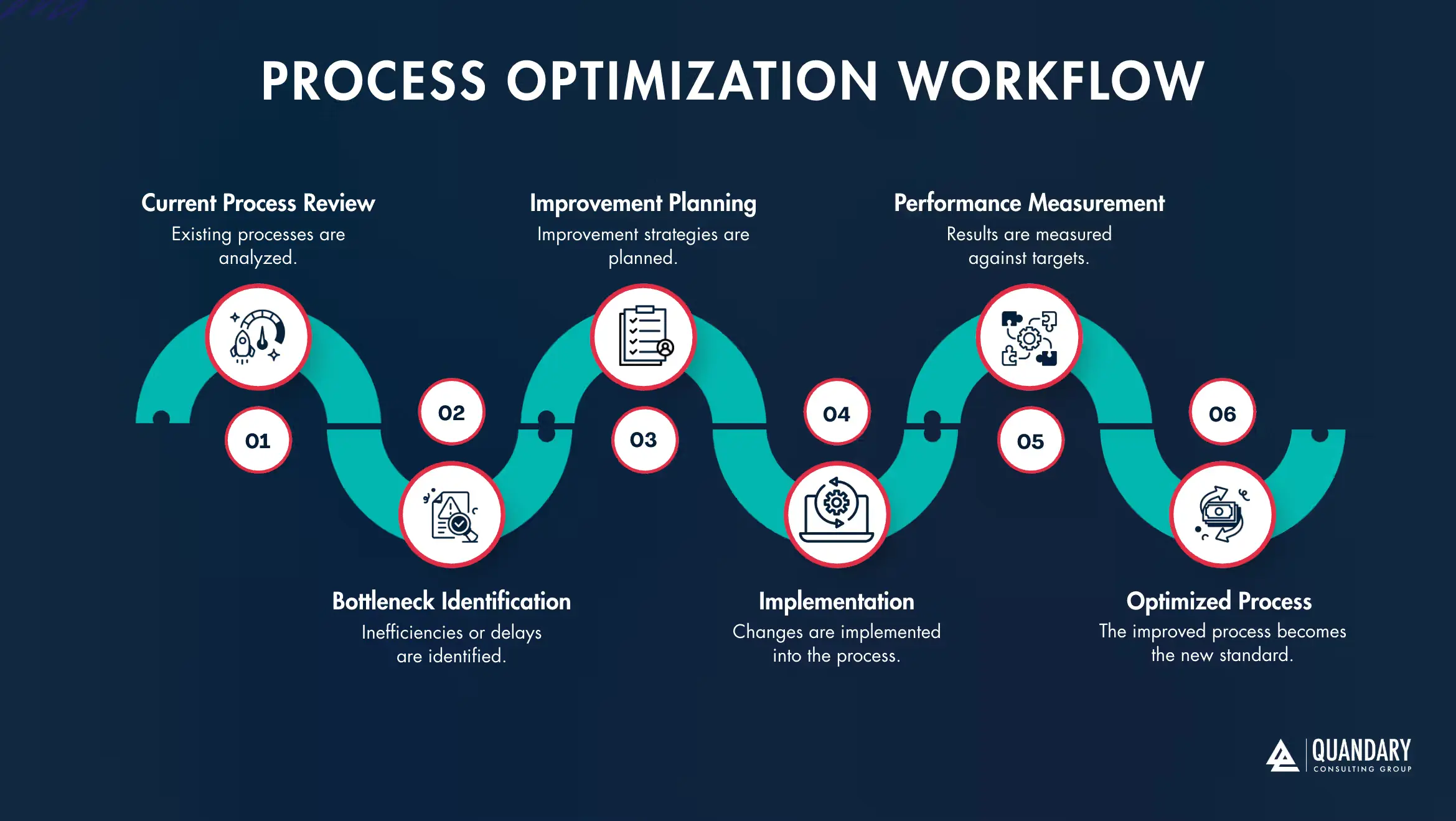
When implemented strategically, workflow automation can improve performance across the organization.
Increased Productivity: Automated workflows reduce time spent on repetitive tasks, manual handoffs, status checks, and routine follow-ups. Employees can focus on customer relationships, problem-solving, analysis, and other higher-value work.
Lower Operational Costs: Automation helps teams handle more work without increasing administrative effort at the same rate. It can also reduce rework caused by missing information, inconsistent processes, and data-entry errors.
Greater Accuracy and Consistency: Rules-based workflows complete the same steps each time. Required fields, validations, and standardized approvals help improve data quality and reduce process variation.
Faster Customer and Employee Experiences: Automated routing, notifications, and document generation can shorten response times and keep onboarding, service requests, and approvals moving.
Better Visibility and Accountability: Centralized workflow data gives stakeholders a clearer view of ownership, status, bottlenecks, and performance.
Stronger Compliance and Auditability: Digital workflows can record approvals, changes, timestamps, and user activity. These audit trails support internal controls and simplify reporting when they are configured to meet the organization’s requirements.
Quandary Use Case: Deviney Construction/Magnolia Utility Services Modernizes Field Operations With Quickbase, FastField, Samsara, and Vista
12 Steps to Automate Workflows in Your Business
Step 1: Map the Current Workflow
Before automating a process, document how it works today. Identify the people, systems, inputs, decisions, approvals, handoffs, exceptions, and outputs involved.
A useful process map should reveal:
- Bottlenecks and delays
- Duplicate steps or data entry
- Manual handoffs
- Unnecessary approvals
- Missing ownership
- Disconnected systems and data silos
- Common exceptions
Do not map only the ideal process. Include what actually happens when information is missing, a request is rejected, or a system fails.
Step 2: Define a Clear Automation Objective
Connect the automation project to a measurable business outcome. A goal such as “improve efficiency” is too broad to guide design or measure success.
Stronger objectives include:
- Reduce invoice processing time from five days to two days
- Cut manual data entry by 80%
- Respond to new leads within five minutes
- Increase first-pass order accuracy to 99%
- Reduce onboarding status inquiries by 50%
Capture baseline performance before implementation so you can compare results after launch.
Step 3: Prioritize the Best Automation Opportunities
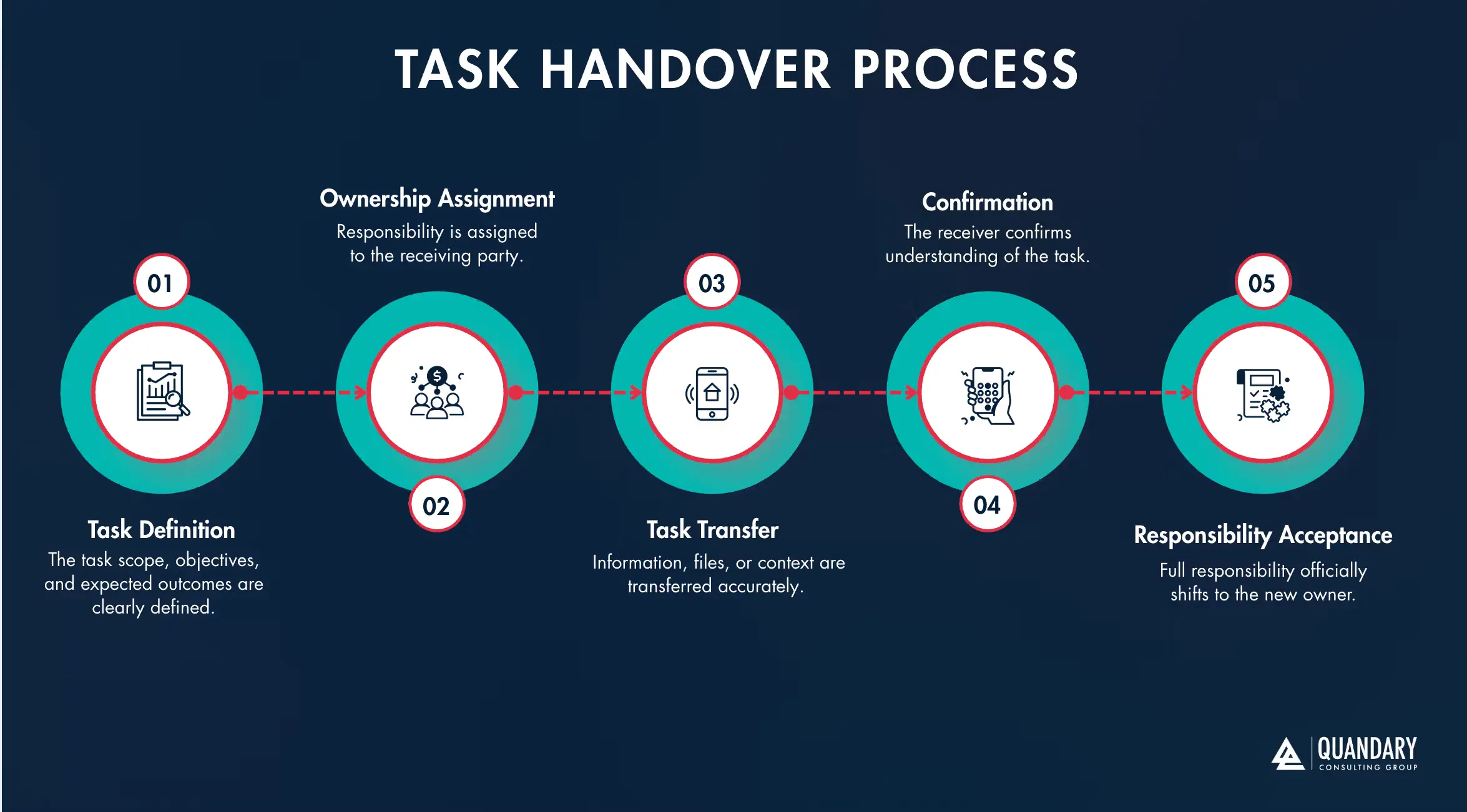
Not every workflow should be automated first. Prioritize processes based on business impact, frequency, stability, complexity, risk, implementation effort, and expected return.
Strong early candidates are usually:
- Repetitive and high-volume
- Rules-based and predictable
- Prone to delays or manual errors
- Dependent on moving data between systems
- Time-consuming but low in strategic value
Common workflow automation examples include invoice processing, employee onboarding, customer support ticket routing, sales lead assignment, purchase approvals, compliance reminders, and recurring reporting.
Step 4: Involve Employees and Process Owners
The people who perform the work understand its exceptions, workarounds, and customer impact. Include them in process discovery, design, testing, and training.
Explain what the automation will change, which tasks will remain human-led, and how success will be measured. Position automation as a way to remove repetitive work and improve the employee experience—not simply as a technology deployment.
Step 5: Improve the Process Before Automating It
Automation can make a good process faster, but it can also make a broken process fail faster. Simplify the workflow before building it.
Look for opportunities to:
- Remove unnecessary approvals
- Consolidate forms and data sources
- Eliminate duplicate entry
- Standardize decision rules
- Reduce handoffs
- Clarify ownership
- Design a consistent exception path
Automate the redesigned future-state process rather than recreating every limitation of the current one.
Step 6: Build an Automation Strategy and Governance Model
Individual automations can quickly become difficult to manage without shared standards. Establish an automation roadmap and a governance framework that addresses:
- Platform ownership
- Security and access controls
- Data governance
- Development and documentation standards
- Testing and release management
- Monitoring and support
- Change control
- ROI measurement
Governance should match the risk and scale of the program. A small pilot may require lightweight controls, while enterprise automation needs formal oversight.
Step 7: Communicate the Automation Vision
Leaders should explain why the organization is automating workflows, how priorities are selected, and what employees and customers should expect. Clear communication reduces uncertainty and builds adoption. Training, documentation, office hours, and internal champions can help teams understand and use the new process consistently.
Step 8: Choose the Right Workflow Automation Platform
Evaluate workflow automation tools against the actual process and technical environment—not a generic feature list.
Key selection criteria include:
- Compatibility with existing systems
- Integration and API capabilities
- Security, privacy, and compliance controls
- Ease of development and maintenance
- Support for exceptions and human approvals
- Scalability and performance
- Reporting and monitoring
- Governance and permission management
- Total cost of ownership
- Vendor support and partner ecosystem
There is no universal “best” workflow automation platform. The right platform is the one that meets your requirements without creating unnecessary complexity.
Step 9: Use Low-Code Platforms When They Fit the Use Case
Low-code platforms allow teams to build forms, applications, integrations, and workflows through visual development tools. They can shorten development timelines and make it easier for business and technical teams to collaborate.
Low-code is especially useful when a process requires more customization than a single-purpose automation tool can provide, however, organizations still need sound architecture, security, testing, documentation, and governance.
Quickbase, Mendix, Smartsheet, Zoho, OutSystems, and Microsoft Power Platform are examples of platforms to evaluate. Product capabilities and licensing change frequently, so confirm current features and costs directly with each vendor.
Step 10: Test the Automated Workflow
Test the workflow with realistic users, data, volumes, and exception scenarios before full deployment; make sure to validate:
- Workflow logic and routing
- System integrations
- Data accuracy and validation
- Roles and security permissions
- Notifications and escalations
- Exception handling and recovery
- Performance under expected demand
- Reporting and audit history
User acceptance testing is essential. A workflow can be technically correct and still create friction for the people who use it.
Step 11: Deploy in Phases
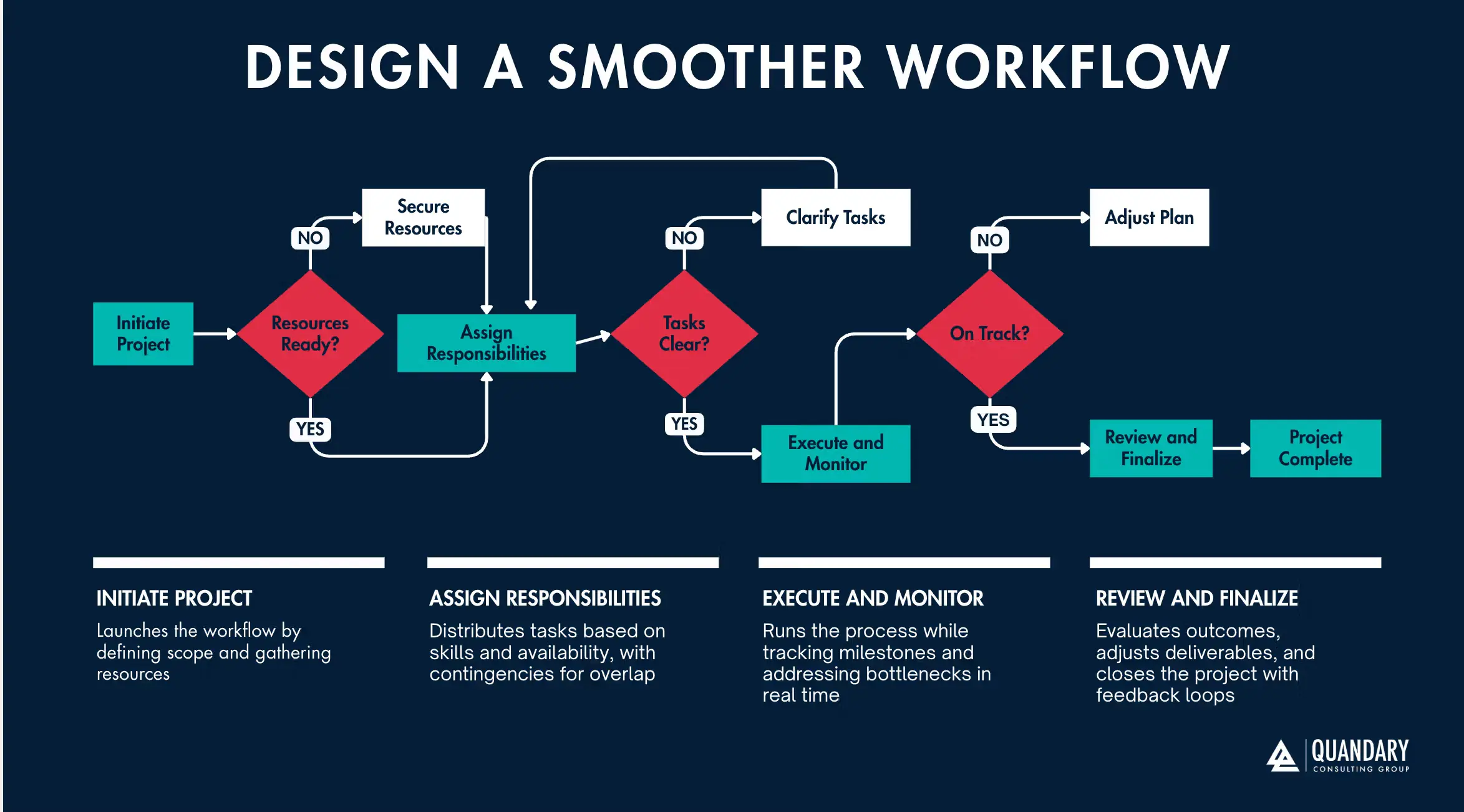
Start with a pilot, a limited user group, or one department. A phased rollout reduces risk and provides time to collect feedback, correct issues, and refine training.
Define ownership for launch support and create a fallback plan for critical workflows. Once the pilot meets its success criteria, expand deliberately.
Step 12: Monitor and Continuously Improve
Workflow automation is not a one-time project. Processes, systems, regulations, and business priorities change.
Monitor metrics such as:
- Process completion time
- Error and rework rates
- Cost per transaction
- Automation failure rate
- Exception volume
- Employee adoption
- Customer satisfaction
- Hours of manual work eliminated
Review performance regularly, investigate bottlenecks, and update the workflow as needs evolve.
Quandary Case Study: CipherWave Cuts Manual Revenue Operations by 60% with Custom Quickbase Automations
How to Measure Workflow Automation ROI
Workflow automation ROI should reflect both financial and operational value.
A basic calculation is: ROI = (Annual Benefits − Annual Costs) ÷ Annual Costs × 100
Benefits may include labor hours saved, avoided rework, faster revenue recognition, reduced processing costs, fewer errors, and improved capacity.
Costs may include software licenses, implementation, integrations, training, support, governance, and ongoing maintenance. Also, track outcomes that may not translate immediately into direct savings, such as faster customer response, stronger compliance, improved employee experience, and better process visibility.
Common Workflow Automation Mistakes to Avoid
- Automating a poorly designed process
- Starting without a measurable objective or baseline
- Choosing a platform before defining requirements
- Ignoring exceptions and edge cases
- Excluding end users from design and testing
- Building disconnected automations without governance
- Failing to document ownership and maintenance
- Treating launch as the end of the project
Avoiding these mistakes helps organizations create automation that remains reliable, useful, and scalable.
Build More Scalable Business Operations With Workflow Automation
Workflow automation has become a core capability for organizations that want to grow efficiently and by reducing manual work, improving consistency, and connecting systems, automation can help teams deliver faster and operate with greater visibility.
The strongest results come from combining the right technology with process redesign, employee involvement, governance, testing, and continuous improvement.
Ready to Partner With Workflow Automation Experts?
Automation initiatives can become complex when workflows span multiple teams, systems, and data sources. An experienced automation consultant can help organizations:
- Identify high-impact automation opportunities
- Map and redesign business processes
- Select and implement the right platforms
- Integrate automation with existing systems
- Establish scalable governance
- Measure ROI and improve performance over time
Quandary Consulting Group combines business process expertise with hands-on platform implementation. Our consultants help organizations move from automation strategy to scalable solutions designed around measurable business outcomes.
Ready to reduce manual work and build more efficient operations? Schedule a discovery call with a Quandary Consulting Group workflow automation consultant.
Top FAQs about Workflow Automation
What is an example of workflow automation?
A common example is invoice approval. When an invoice is submitted, the system can validate required information, route it to the correct approver, send reminders, update the accounting system, and record the approval history automatically.
What business processes can be automated?
Many repetitive, rules-based processes can be automated, including customer and employee onboarding, invoice processing, lead routing, purchase approvals, support ticket assignment, document generation, compliance reminders, data synchronization, and recurring reports.
How do you identify a good workflow to automate?
Look for a process that is frequent, repetitive, stable, rules-based, and time-consuming. The strongest candidates often involve manual data entry, predictable decisions, multiple handoffs, or information moving between systems.
What should not be automated?
Avoid automating unstable processes, low-frequency tasks with little business value, and decisions that require nuanced human judgment unless the automation includes an appropriate human review. Processes involving sensitive data or significant risk also require careful controls.
What is the difference between workflow automation and RPA?
Workflow automation coordinates an end-to-end sequence of tasks, decisions, people, and systems. Robotic process automation uses software bots to imitate specific user actions, often in applications without modern integrations. RPA can be one component of a broader automated workflow.
What is the difference between workflow automation and business process automation?
Workflow automation usually focuses on automating a defined sequence of tasks. Business process automation has a broader scope and may redesign and automate an entire cross-functional business process. The terms often overlap in practice.
How much does workflow automation cost?
Cost depends on the platform, number of users, process complexity, integrations, data volume, security requirements, implementation support, and ongoing maintenance. Evaluate total cost of ownership rather than subscription price alone.
How long does it take to automate a workflow?
A simple departmental workflow may take days or weeks, while a complex cross-functional process can take several months. Clear requirements, accessible integrations, timely stakeholder feedback, and a phased rollout can shorten the timeline.
How do you choose workflow automation software?
Start with process and technical requirements. Compare platforms based on integrations, security, scalability, usability, exception handling, reporting, governance, total cost, and the resources needed to maintain the solution.
Does workflow automation replace employees?
Workflow automation usually replaces repetitive tasks rather than entire roles. It can reduce manual administration and allow employees to spend more time on judgment, customer service, problem-solving, and strategic work. Organizations should communicate changes clearly and provide appropriate training.
How do you measure the success of workflow automation?
Compare post-launch results with baseline metrics. Common measures include cycle time, manual hours, cost per transaction, error rate, exception volume, user adoption, customer satisfaction, and return on investment.
Can small businesses use workflow automation?
Yes. Small businesses can begin with a focused, high-volume process such as lead follow-up, invoicing, appointment reminders, onboarding, or customer support routing. Starting small helps prove value before expanding automation across the business.